
Boost Ads (Beta) FAQs
Boost Ads (Beta) lets you pay to show your videos to more viewers on Gan Jing World.
Boost Ads is a self-serve tool that runs your published video as a sponsored ad on Gan Jing World. You choose a video, set a budget and end date, and submit your Boost.
Boost Ads (Beta) lets you pay to show your videos to more viewers on Gan Jing World. Here are answers to common questions.
What is Boost Ads?#
Boost Ads is a self-serve tool that runs your published video as a sponsored ad on Gan Jing World. You choose a video, set a budget and end date, and submit your Boost.
Where will my Boost appear?#
Your Boost appears as an ad on Gan Jing World, showing your channel name and icon. We automatically place it where it can reach viewers who may be interested in your content.
Who can use Boost Ads?#
- You must be at least 18 years old (or older if required where you live) to use Boost Ads. If you boost on behalf of a business, you must be authorized to act for it.
- The channel owner must create the first Boost and add a payment method.
- After setup, senior managers on the channel can create and manage Boosts using the saved payment method. Only the channel owner can add or update the payment method.
- The channel owner is responsible for all Boosts and charges on the channel.
- If you see "Boost setup required" or "Payment method required", ask the channel owner to complete setup.
What can I boost?#
- Public, free, published videos that aren't already being boosted.
- Drafts, private or unlisted videos, paid videos, live streams and premieres can't be boosted.
- Your content must follow our Advertising Policies and Community Guidelines.
How do I create a Boost?#
- 1
Open Boost
In Creator Studio, go to Promotions (Beta) and click Boost. You can also open the ⋯ menu next to a video in Content and select Boost.
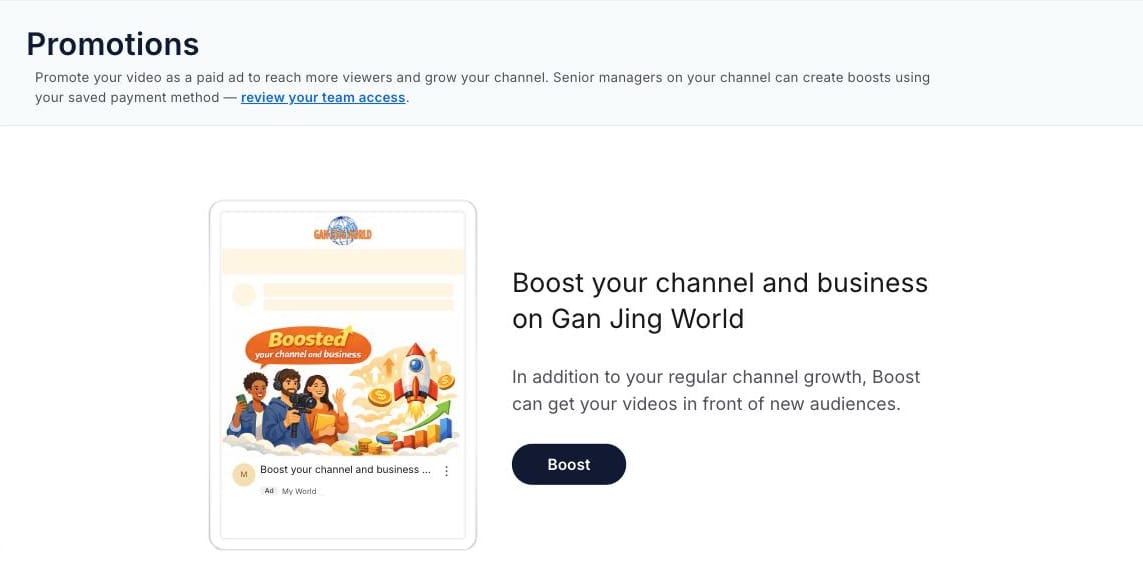
The Promotions page in Creator Studio, with the Boost button. 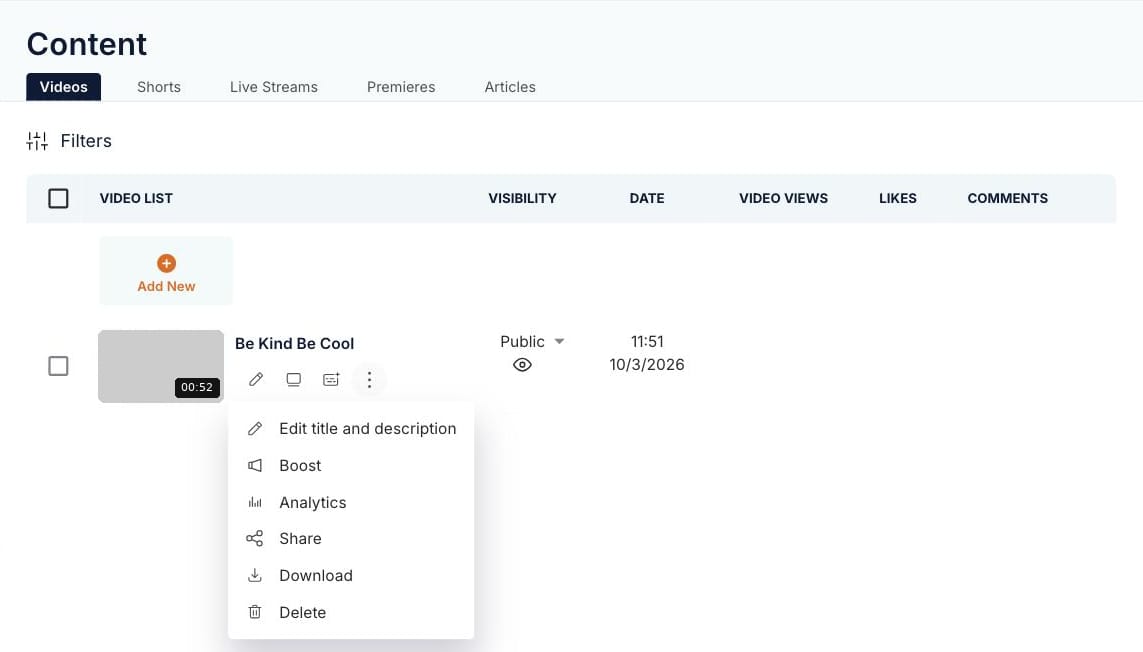
The ⋯ menu next to a video in Content, with the Boost option. - 2
Video & Ad
Select your video. The headline fills in from the video title; you can edit it (up to 90 characters).
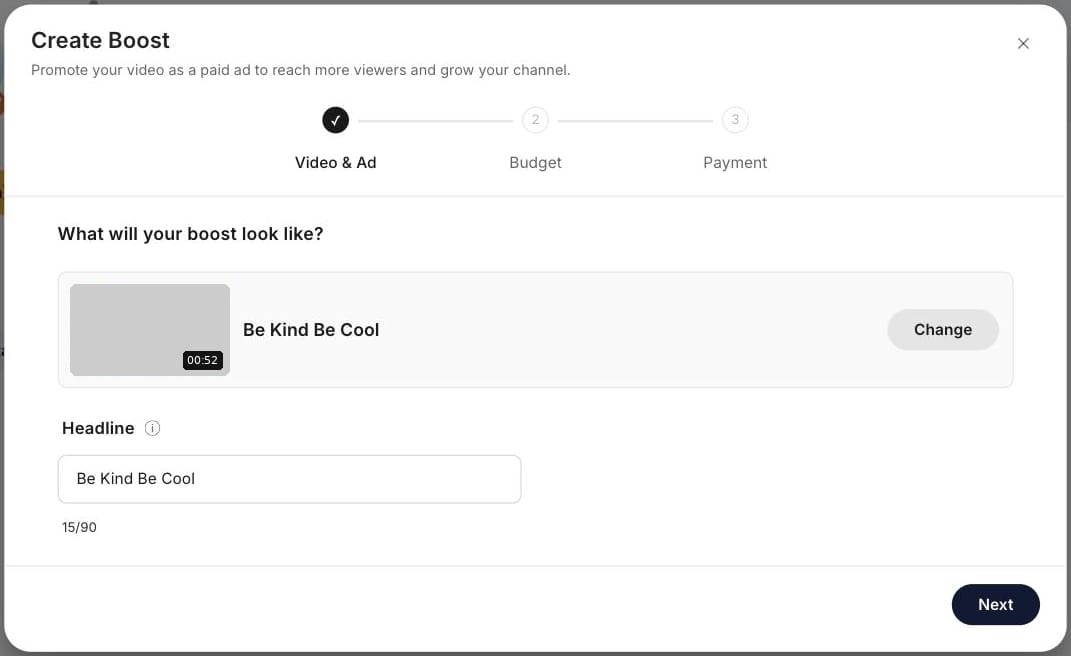
Create Boost, Video & Ad step: the selected video and its headline. - 3
Budget
Choose $20, $50, $100, $200 or a custom amount, then pick an end date. Boosts run for 7 to 90 days.
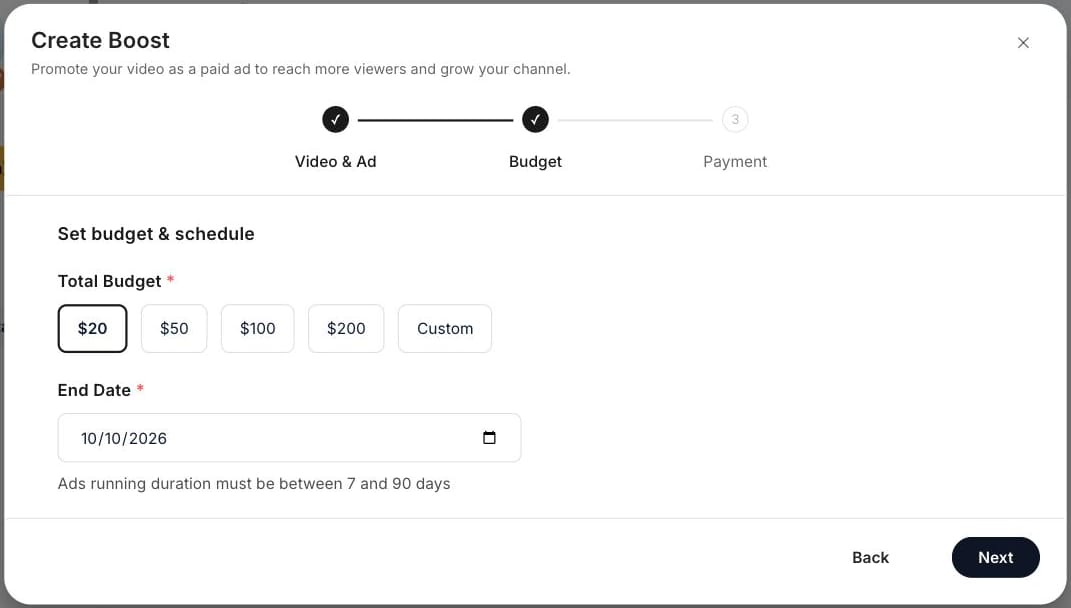
Create Boost, Budget step: total budget options and end date. - 4
Payment
The first time, add your billing details. They're saved for future Boosts. Check the total, then submit.
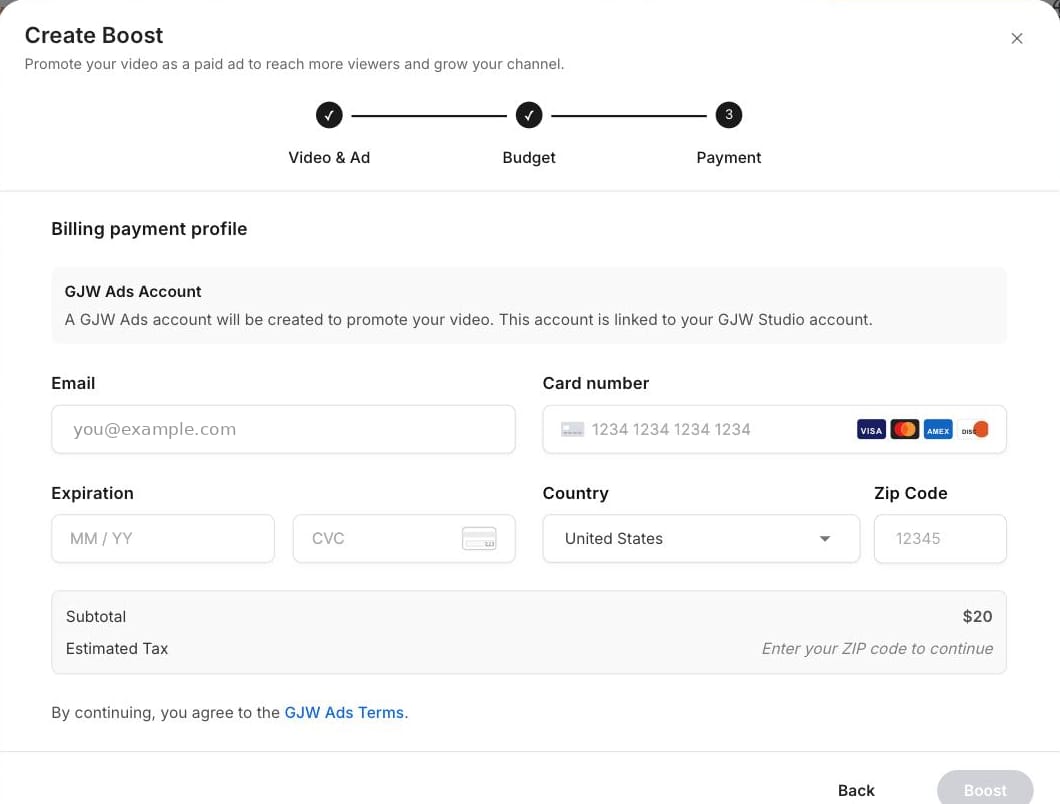
Create Boost, Payment step: billing details and order total.
How does review work?#
- All Boosts are reviewed before they start running. Review usually takes up to one business day. Any review time shown is an estimate.
- Your Boost may be reviewed again while running, for example if you change the video title or your channel name or icon. Once approved, it resumes automatically.
- If your Boost is rejected, you'll see the reason. Select Edit & Resubmit to fix and resubmit it.
- Approval doesn't mean your content complies with our policies, and repeated or serious violations may lead to restrictions on your account.
What do the statuses mean?#
- Pending: Under review.
- Active: Delivering.
- Paused: Delivery is on hold. You can extend the end date, but other edits are locked.
- Rejected: Didn't pass review. See the reason, then edit and resubmit.
- Ended: Reached its end date or used its budget.
Can I edit a Boost?#
- While your Boost is pending, you can edit it.
- While it's active, you can only extend the end date. The video, headline and budget are locked.
- While your video is being boosted, you can't make it private or unlisted, or add a paywall. If you change the video title, your Boost goes back for review.
How do I pay for a Boost?#
You pay when you submit your Boost. Your budget plus any applicable tax is charged to your payment method. Payments are processed by our third-party payment processor (currently Stripe). Amounts are shown in US dollars. Your Boost won't spend more than your total budget.
What if my payment fails?#
- If your card is declined, the channel owner can update the payment method under Promotions Support → Payment. Senior managers should ask the channel owner to update it.
- If you're not sure whether a payment went through, try again. We won't charge you twice for the same Boost.
How long does a Boost run?#
Your Boost runs until its end date or until its budget is used, whichever comes first. You can't pause or cancel a Boost once it's submitted, so please check your video, budget and dates before you submit.
When a Boost ends, you can Reboost it with a new budget and end date. Each Reboost is charged separately.
When can I get a refund?#
- If your Boost is rejected before it delivers any impressions, you can contact us to request a refund within 60 days of the rejection. The refund goes back to your original payment method.
- Other amounts you pay, including any unused budget, are non-refundable, except where required by law.
- Failure to follow our policies may result in a variety of consequences, including the cancellation of your Boosts, suspension or termination of your account, and, if your access is terminated, forfeiture of unused amounts you've paid, to the extent permitted by applicable law.
How should I read my results?#
- Go to Promotions to see cost, impressions and ad views for each Boost. Cost may take 1–2 days to update.
- Your Boost delivers throughout its run time, so results build up over time and will update as your Boost continues to run.
- Many factors can affect how your Boost performs, such as your content, thumbnail and headline, so we can't guarantee a specific number of impressions, views or other results.
Why am I not seeing results yet?#
- Results appear after your Boost is approved and starts delivering.
- Cost may take 1–2 days to update.
- Your budget sets how many viewers your Boost can reach, and your end date sets the pace. With the same budget, a shorter run delivers results sooner.
Tips for better results#
- Choose a budget and end date that fit your goal. A higher budget helps you reach more viewers, and a shorter run delivers results sooner.
- Use a clear thumbnail and headline that tell viewers what your video is about.
- Boost a new upload early to give it a strong start.
- Keep creating engaging content. Boosting works best alongside videos your viewers already enjoy.
Need more help?#
Visit the Gan Jing World Help Center.
For full details, see the Advertising Program Terms, Advertising Policies and Community Guidelines.