
Creator Studio · Reference
Team permissions
Reference
Advanced FeaturesCreator Studio
Info
Account, channel, content, and payment details in screenshots are fictional examples. Enter your own information when using the product.
Location: Permissions
Assign or change channel management permissions here. Click Invite at the top right, enter an email address, and choose a role. The invitation is sent by email.
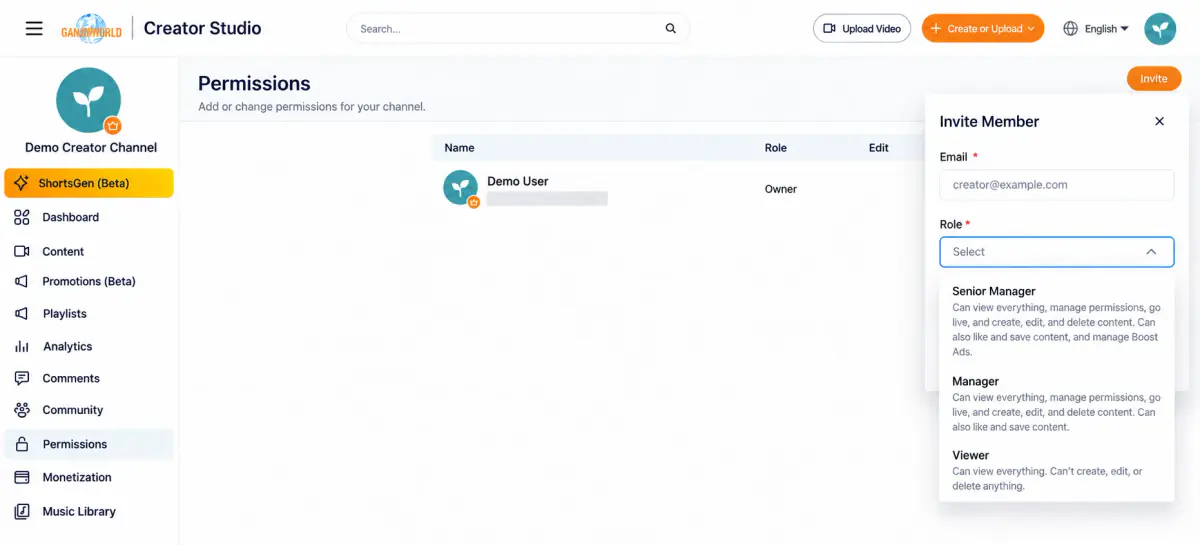
| Role | Permissions |
|---|---|
| Owner | The channel creator, with full permissions |
| Senior manager | Can view all content, manage permissions, livestream, and create, edit, and delete content. Can also like and save content, and manage Boost ads |
| Manager | Can view all content, manage permissions, livestream, and create, edit, and delete content. Can also like and save content (excluding Boost ads) |
| Viewer | Can view all content but cannot create, edit, or delete it |
Permissions list#
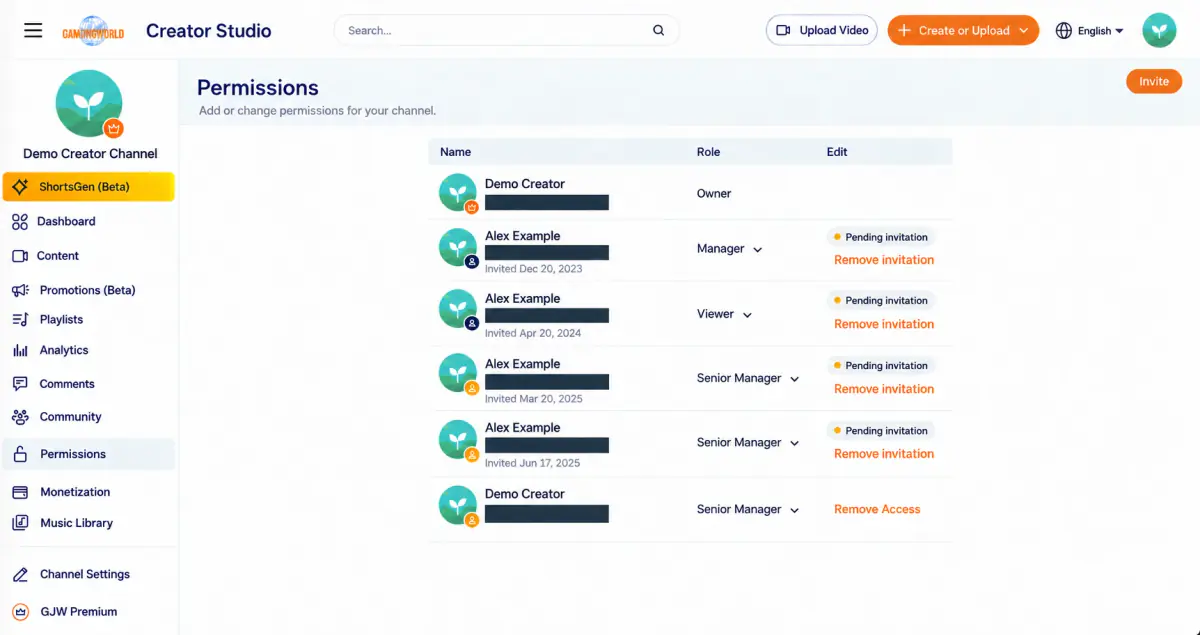
The Permissions page lists members and invitees, showing username, avatar/email, role, and status.
Warning
Before granting access The interface warns: “When you grant someone access to your channel, you are responsible for their actions. Authorized users can access your channel's content, including private videos and playlists.”
Last updated: