
How to watch GJW+ movies on your TV?
- 1
Install the Gan Jing World app
On a streaming device such as Chromecast with Google TV, Roku, or Amazon Fire TV, install the Gan Jing World app from the device's app store. To cast from a phone or tablet instead, install the mobile app — from the App Store on iOS, or via the Android APK download on Android (see the device sections below).
- 2
Open the app on your TV setup
Open the Gan Jing World app on your streaming device. With an older Chromecast, open the mobile app on your Android device instead; with an HDMI cable, connect your device to the TV and switch the TV input to the correct HDMI port.
- 3
Sign in to your account
Sign in with the same Gan Jing World account you used to subscribe — GJW+ movies and shows unlock only on the subscribing account.
- 4
Choose a movie and press play
Browse the GJW+ movies and shows, pick a title, and start playback — the movie plays on your TV screen.
There's nothing like watching your favorite GJW+ movies on the big screen — and it's easy to do with a smart TV, a streaming device, or just an HDMI cable. The sections below walk through each way to connect.
Watching GJW+ movies and shows requires a plan that includes GJW+ streaming — GJW+ Basic or GJW+ Gold (No Ads). See "What Gan Jing World subscription plans are available" for a comparison.
Install the app on your phone or tablet#
The Gan Jing World app is available for iOS in the App Store and for Android via the Android APK download. Once installed, you can cast videos to a compatible Chromecast or smart TV, or connect your device to the TV with an HDMI adapter and cable to mirror the screen.
Installing on Android
- 1
Open the Gan Jing World website
Open a browser on your Android device, go to the Gan Jing World website, and tap the menu icon (three horizontal lines) in the top-left corner.
- 2
Find the download section
Scroll to the bottom of the menu to find the App download QR code and download buttons. Alongside the App Store and Android APK buttons, there is also a "Download Android TV APK" button for Android TV devices.
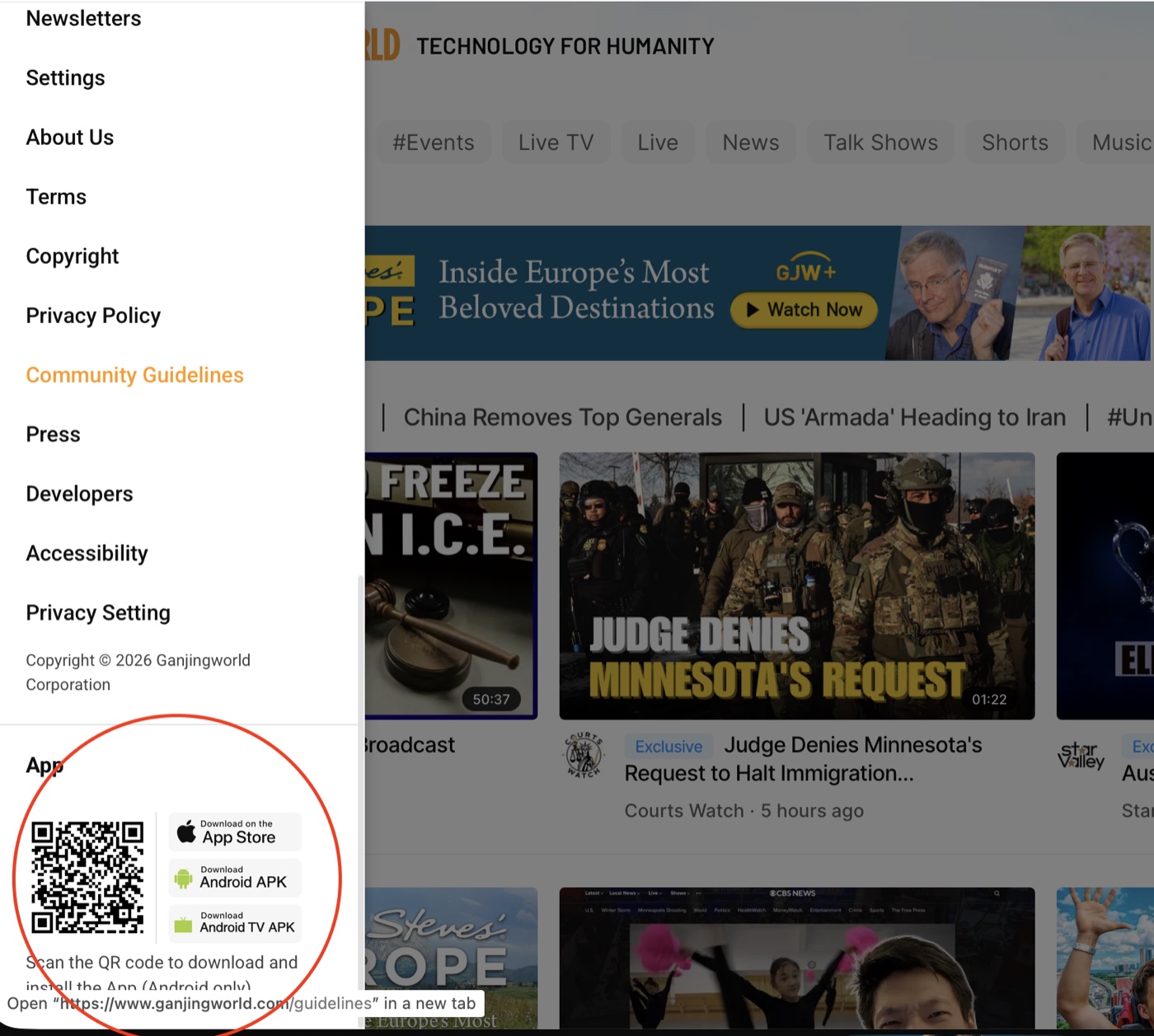
The website menu (☰) shows the App download QR code and the App Store, Android APK, and Android TV APK download buttons. - 3
Download the APK
Tap "Download Android APK". When the download finishes, tap "Open" (or find the file in your Downloads folder).
- 4
Allow the installation
If prompted to allow installs from this source, tap "Settings", enable "Allow from this source", then return and tap "Install".
- 5
Open the app and sign in
After installation, tap "Open" and sign in to your Gan Jing World account. You're ready to cast or mirror to your TV.
Chromecast with Google TV (newer devices)#
Newer Chromecast with Google TV devices can install the Android TV version of the Gan Jing World app directly, so you can stream anytime without casting from your phone.
- From the home screen, go to "Apps" or use "Search" and search for Gan Jing World.
- Press the TV control center button, then press it again to install the app.
- Select "Open", sign in, and stream GJW+ movies directly on your TV.
Older Chromecast devices#
Older Chromecast devices work together with the mobile app — you pick the movie on your Android device and cast it to the TV.
- 1
Open the app
Open the Gan Jing World app on your Android device.
- 2
Choose the movie or show
Pick the movie or show you want to watch and open its page.
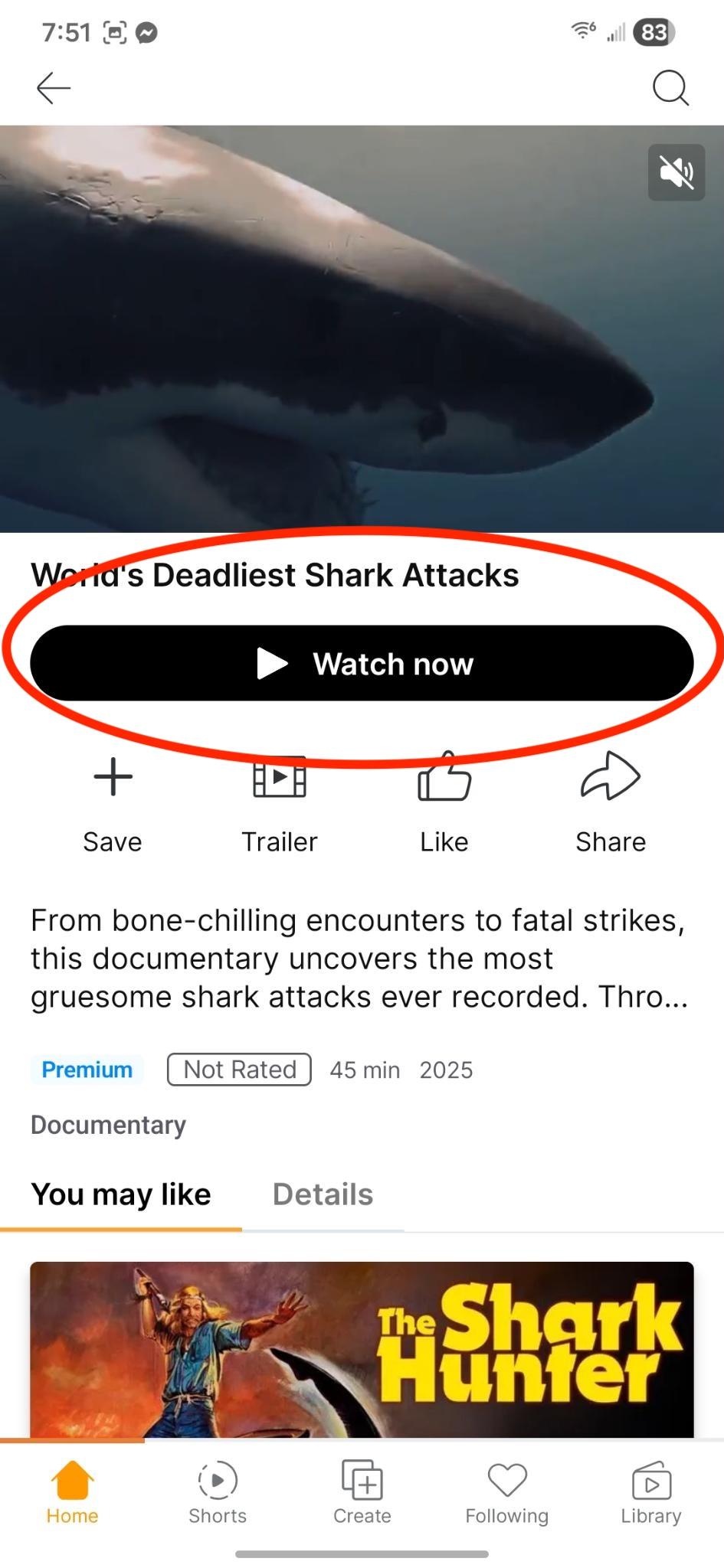
Open the movie's page and tap "Watch now" to start playback. - 3
Cast to your TV
Tap the "Cast" icon and select your Chromecast from the list.
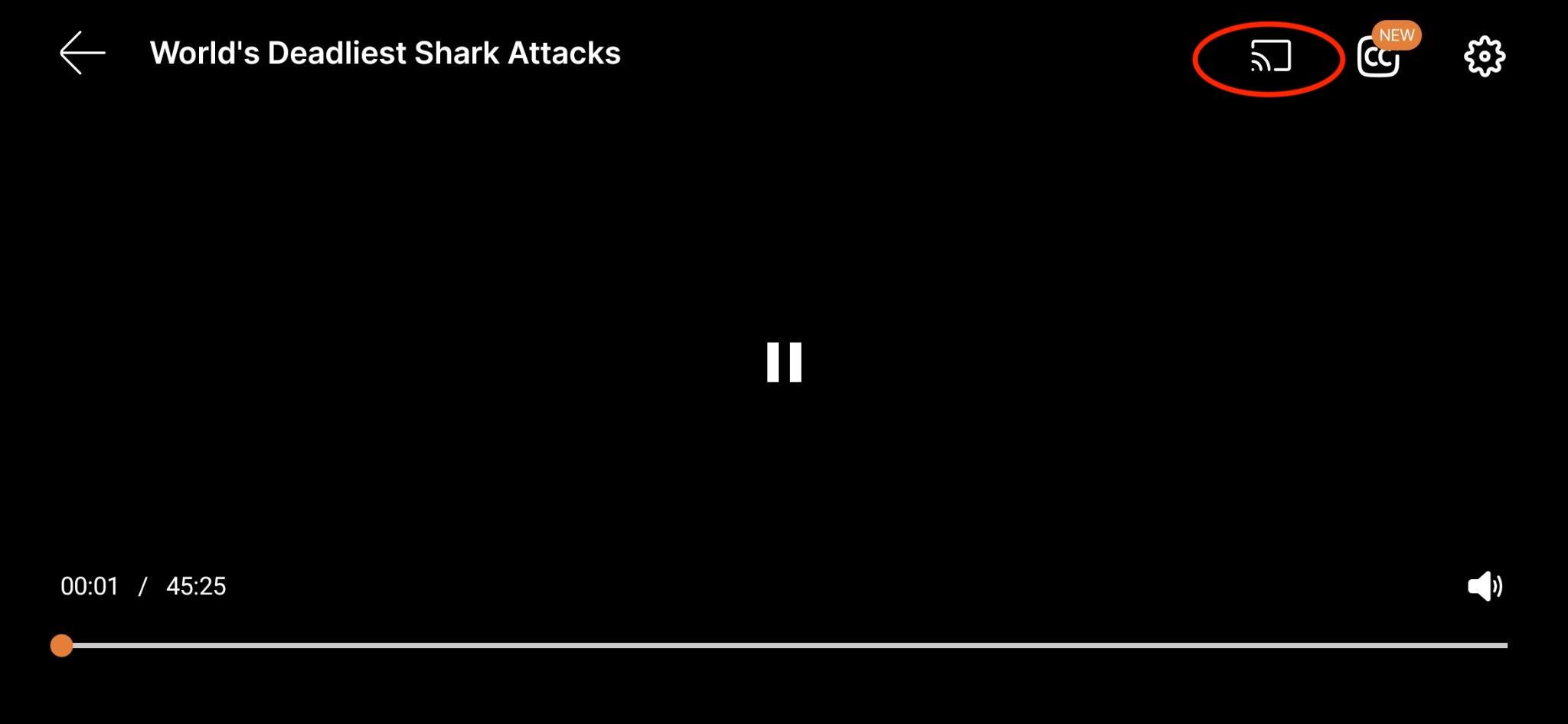
Tap the Cast icon in the top-right corner of the player and choose your Chromecast. - 4
Watch on the TV
The video plays on your TV.
Roku#
- From the Roku home screen, go to Streaming Channels → Search Channels.
- Type Gan Jing World and select Add Channel.
- Open the app and sign in.
Add the Gan Jing World channel to your Roku home screen for faster access.
Amazon Fire TV (Fire Stick or Fire Cube)#
- Go to Find → Search and type Gan Jing World.
- Select the app and choose Get or Download.
- Open the app and sign in.
If you can't find the app on Fire TV, check that your Fire TV software is up to date.
HDMI cable#
No smart TV or streaming device? An HDMI cable works with almost any TV.
- Plug one end of the HDMI cable into your laptop, phone, or tablet (using an HDMI adapter if your device needs one) and the other end into the TV.
- Switch the TV input to the correct HDMI port.
- Open a browser on your device, go to the Gan Jing World website, sign in, and start playback — the screen mirrors on the TV.
Tips for the best viewing experience#
- Use a stable, high-speed internet connection.
- Keep all devices on the same Wi-Fi network.
- Keep the app and your device software updated.
If you still have questions, reach out through the in-app help option or the Contact Us page.