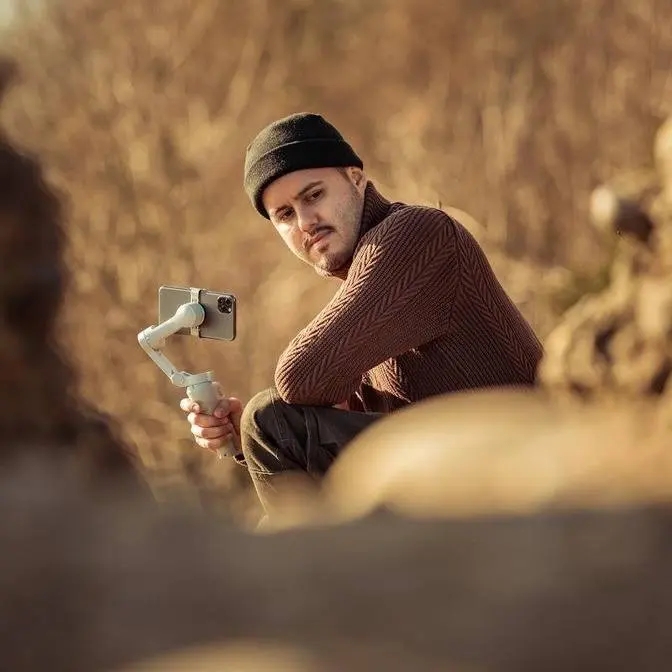
Keeping your setup minimal while still getting pro-level audio is key for mobile creators. In this video, I’m using the Saramonic Air SE Wireless Microphone to demonstrate how it performs in real-world filming.
DISCLAIMER Some links are affiliate links, where I earn a small commission if you click on the link and purchase an item. You are not obligated to do so, but it does help support this YouTube channel and allow me to continue making videos for you. I appreciate your support!
I'm always looking for the best ways
to keep my setup minimal
while maintaining great video quality,
especially when filming with a smartphone.
One important piece of gear
that many beginner creators underestimate is audio.
Viewers are more likely to keep watching a video
with good audio, even if the image quality isn't perfect.
Investing in a good microphone
is one of the smartest things you can do
as a mobile creator.
There are so many options on the market,
but what I found is a portable,
pocket-friendly wireless mic called the Saramonic Air SE,
designed specifically for smartphones.
In fact, you're listening to it right now,
and I'll be using this mic throughout this video
so you can judge the sound quality for yourself.
Now, in this video, I'll break down
what this wireless mic for mobile phones can do
and how you can use it to take your videos
to a more professional level.
If you're someone who films on a phone like I do,
you don't want to be carrying around extra heavy equipment.
You want to keep your setup light and quick to put together.
The Saramonic SE is a great addition to your mobile kit
because it's ultra light and compact.
The total weight is only 42 grams,
and the transmitter weighs just five grams.
You can see that the transmitter
is roughly the size of my fingertip, which is crazy.
When wearing it, it barely attracts attention.
I almost forgot I was wearing it
because of its lightweight design,
and it doesn't pull down your shirt,
making it comfortable to use for longer recording sessions.
The Saramonic Air SE is specifically designed
for smartphone and tablets.
It supports both USB-C and Lightning connections,
so you can use it with Android and iOS devices.
The best part is that the receiver doesn't need charging
because it draws power directly from your phone
or connected device.
And that's a great advantage
because you don't have to worry about keeping it charged.
Another convenient feature
is that the phone speaker playback is supported.
The Saramonic SE is a great addition to your...
This means you can quickly check the audio
without having to unplug the receiver every time.
For those wondering,
the SE cannot be connected to a traditional camera
because it does not support a 3.5 millimeter TRS audio input.
Saramonic has designed this device
with convenience in mind.
The main body is actually a charging case
and the transmitter snaps on magnetically at either end.
They attach very securely.
You don't accidentally knock them off, even if you try to.
Each transmitter has a power button,
but if you remove it from the case,
it actually turns on automatically.
This saves you a step and pairs it right away
once the receiver is plugged in.
The receiver is located at the bottom of the case
and snaps in magnetically.
One of the best features
is that you can use the transmitter in two ways.
You can attach it directly to your shirt
using the magnets or clip,
or leave it in the charging case and use it handheld
like I'm doing right now
without needing any additional accessories.
This makes it perfect for vlogging
or any mobile content creation.
You can even connect up to two transmitter
to a single receiver at the same time,
which is really great for interviews.
It also comes with two small windshields that you can use,
whether you're recording in handheld mode
or with just the transmitter,
making it ideal for outdoor recordings in windy conditions.
And also the windshield helps with pop sounds.
I usually add noise reduction in post,
but it's still a great feature
for anyone who wants to skip that step.
The Saramonic Air SE also includes AI noise reduction,
which intelligently removes non-human sound
while preserving your voice.
You can adjust the noise level
directly within the Saramonic app.
So let us test out the noise canceling feature.
You can see this is a perfect situation.
We have lots of cars passing by in the background.
There is a fountain right in front of me.
So a lot of ambient sound.
Now to activate noise canceling,
I can press the button on the receiver once,
and now noise canceling is activated,
indicated by a solid green light.
And you'll hear less of the background noise
and my voice should be more present.
Now this is the strong noise cancellation.
If I want to activate the weak one,
I can just press the button one more time on the receiver.
Green light starts blinking.
This way I know the weak noise cancellation is activated.
And this can be good if you want to keep
some of that ambient sound in the background,
making your video feel more or sound more natural.
And if I want to turn off noise cancellation
completely, I can just press the button one more time
on the receiver, and now the LED light turns solid blue,
indicating that noise canceling is turned off.
In terms of audio quality,
the Ceramonic Air SE records at 48 kilohertz
with 24-bit audio sampling.
To me, the audio sounds really good,
delivering clear and detailed sound.
By the way, no processing has done.
This is the raw audio that you're hearing.
The SE supports mono, stereo, and safety track modes,
giving you more flexibility
depending on your recording needs,
and you can adjust these settings easily
inside the Ceramonic app.
I like to set it to safety track,
which records one track at a lower level,
just in case the main track clips or distorts.
You also get a real-time audio meter display,
so you can monitor your levels.
Let's now do a mic comparison.
This is how it sounds like using the DJI Mic Mini.
I'm filming this outdoor,
and no post-processing has been done.
Let's now switch over to the Ceramonic Air SE.
And this is how it sounds like with the Ceramonic Air SE.
We're filming this outdoor,
and no post-processing has been done.
Let me know which one you think sounds better.
It also offers a transmission range
of up to 200 meters in open environments and a low latency,
which for me is more than enough
to cover most mobile filmmaking situations.
So let's do a range test on this mic.
It can do up to 200 meters.
Right now, I'm just testing 50 meters,
and also I'll be wearing the transmitter this way.
You can also listen to how it sounds like that way.
What's really cool is that I can also press
the power button once to trigger recording,
which is very convenient if you're a solo filmmaker.
So yeah, I'm just gonna be very quick about this
because people want to cross this bridge.
So I'm around 50 meters away from the camera.
Hopefully you can still hear me.
I probably won't go that far away from the camera,
but yeah, hopefully you can still hear me.
And if I turn my back, can you still hear me?
Now I'm gonna face the camera again.
And yeah, this is how it sounds like.
Ceremony claims you get around six hours of battery life
on the transmitter with noise reduction disabled
and about 4.5 hours with noise reduction enabled.
However, those numbers are based
on controlled test environments.
So in real world use, you'll probably get a bit less.
The charging case charges via USB-C port,
but keep in mind that in handheld mode,
you cannot connect a power bank to charge the device
while recording at the same time.
Now the best part is that this mic does not cost a lot.
For $49, you get the version with the USB-C receiver.
If you want both the USB-C and lightning receiver,
it costs a bit more at $69.
In the box, you get two transmitter, the charging case,
a windshield, a clip, and a small carrying pouch.
Now let me know in the comments
what you think about the Ceremonic Air SE
and whether you would use a wireless mic like this
for your mobile videos.
If you have any questions,
drop them in the comments as well.
And if you want to learn more
about producing high quality videos with your smartphone
while keeping your setup mobile,
be sure to check out this video right here.
Thank you so much for watching guys.
Take care, and I'll see you in the next one.