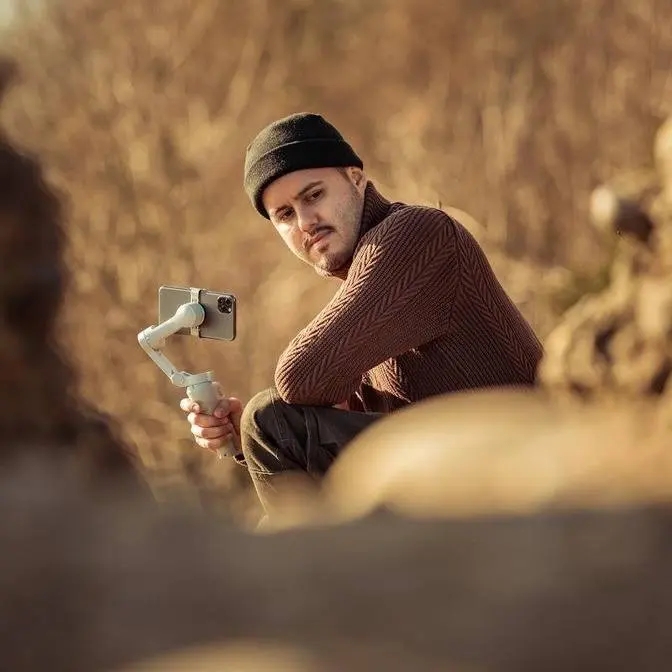
🎥 Get your Insta360 Luna Series here ► https://bit.ly/BenettGraezer_LunaEssentialBundle 🔥 Black Friday: Save up to $75 on the Insta360 Luna Series, plus free cloud storage, limited time only! 🎁 Click the link above to claim a FREE Black Mist Filter while supplies last.
DISCLAIMER Some links are affiliate links, where I earn a small commission if you click on the link and purchase an item. You are not obligated to do so, but it does help support this YouTube channel and allow me to continue making videos for you. I appreciate your support!
TIMESTAMPS: 0:00 Intro 0:42 What They Have in Common 2:34 The Big Difference: The Telephoto Camera 3:03 Zoom Test: Luna Pro vs Luna Ultra 5:19 Ultra Telephoto Lens (Up to 22.5x) 6:54 My I-Log LUTs and Vlog Settings 7:28 Size and Weight 7:49 Price Difference 8:14 Which One Should You Buy?
This video compares the Luna Pro and Luna Ultra cameras, highlighting that while they share core specifications like a 1-inch sensor, 8K recording, and a detachable remote, the Ultra justifies its $170 premium through a dedicated telephoto lens and superior zoom capabilities. The creator helps viewers decide which model fits their specific filming needs and budget.
So the Luna Pro that I'm filming on right now
is $170 cheaper than the Luna Ultra and surprisingly
shares many of the same features with the Ultra. So the question is,
is it worth spending the extra $170 for the Ultra?
You'll find out in this video.
So if you're having a hard time deciding between the Luna Pro
and the Luna Ultra, this video will help you
as I will be sharing with you the main
differences between the two,
as well as share my experience using both of these cameras.
And also by the end of this video,
share with you which camera is for who,
so that you can make the right purchase decision.
Before we get into the differences,
it's important to point out just how much
these two cameras actually have in common.
Now both give you that same core Luna experience with a one inch sensor
and f 1.8 main lens,
and both can shoot up to 8K 30 frames per second
and 4K 120 frames per second.
Now I do have to mention this is that one
of the best features, whether you're getting
the pro or the ultra is the detachable remote controller.
It has a built in screen
so you can actually see yourself while recording.
This is especially important if you're a solar creator
who films themselves a lot.
This allows you to frame your shots more easily.
What's even better is that it comes with subject tracking.
So by double tapping on myself, and as I move around,
you can see that the camera follows
me.
So I can also create camera movements.
Also, the audio you're listening
to right now comes from the mic that is built into
the remote controller.
So this way it can stand further away from the camera
while still capturing clean.
Audio, which is awesome.
This way I don't need to necessarily use a wireless mic
and can just use the built-in mic on the remote controller,
which is super convenient.
Either way, you're getting this feature,
which I think is the best part about their Luna series.
You also get the 10 bit log
if you want more flexibility when color grading.
You also got pure video for low light shooting,
mechanical three axis stabilization.
And if you create a lot of content for Instagram reels,
TikTok or YouTube shorts,
Both cameras can now shoot native 4k vertical videos before only
the Luna Pro had that feature.
They also share a lot of the smaller things
that affect the everyday experience like
built-in storage, micro SD expansion, and the same general Luna design.
And workflow. So if you're mainly planning to use the main camera,
the Luna pro already gives
you a lot of what makes the Luna ultra so good.
And that my friend brings us to the features that
really starts separating these two cameras,
the ultra second telephoto camera.
Like I said, the biggest difference
is the Ultra's dedicated telephoto camera
with a 1 over 1.3 inch sensor and an f 2.0 aperture.
Now with the Luna Pro, you're mainly working with the wide main camera.
Now for this comparison, I used myself as the subject.
This way I can show you what it looks like.
at different focal lengths so you can see the difference for yourself.
So let's now do a zoom test between the Pro and the Ultra.
This way you can see how they compare
in terms of their zoom range and how the quality looks like.
And I'm going to film this in iLog
in 4K, 25 frames per second.
Even though both cameras can do 8K, we want to use the
full maximum range that each of these cameras can do.
So that's why I'm recording in 4K.
So now we're using the main 1X lens,
so there shouldn't be a difference between the two.
Something else to point out is that I can
also zoom while recording on both, which is great.
So let's move over to 2X.
This is also a lossless zoom
so you shouldn't be able to see any difference.
So both are now at 3x. The Pro uses digital zoom whereas
the Ultra switches over to the tele lens
which is an optical zoom.
So now we're at 4x where the Pro reached its digital zoom
limit, whereas on the Ultra it's a lossless
4X zoom.
So lossless, meaning it crops into the sensor,
but the image quality doesn't drop
and the details should still remain.
So now you're looking at 6X, which is a lossless zoom.
So again, it crops onto the sensor
and you should be able to see
some background compression as well.
So I moved a bit closer
so that we can see the compression difference.
I really like the compression on the 6X giving a nice
separation between me and the background.
And now you're looking at the 4X on the Pro. This way,
we can compare the background compression.
I think it definitely looks nicer on the Ultra.
And now you're looking at 12X, which is a digital zoom,
but Insta360 recently made an update,
which is high res zoom,
which uses AI to enhance the image to make it look sharper.
And this also applies to the Pro with the 4X zoom.
And now we can go all the way up to 15X on the Ultra.
And this is how it looks like.
And by the way, I've used iLog throughout this zoom test
so you can use it across all ranges, which is awesome.
Further benefit here, I actually got my hands now
on the ultra telephoto lens, which I've attached.
So you're looking at a 4.5X optical zoom.
And by attaching it, you can zoom in up to 22.5 times.
So you really get that extra reach.
So you also get this nice background compression.
I'm also going to put up a side-by-side between using just
the built-in telephoto lens and the ultra telephoto lens.
And it's great if you need to capture subjects that are further away.
Now, there's also stage mode,
which you can specifically select if you're at a concert.
Now, what's really cool is that at any zoom range,
you can enable tracking.
So by double tapping on my face, tracking is now enabled.
And you can see it.
It works seamlessly.
I think it's a really nice add-on if you really need that extra reach
and can't physically get closer.
The ultra telephoto lens is really easy to mount.
You just push it in and it holds firmly.
It also comes with a protective cover so you don't scratch your lens.
And overall, it's still small enough to easily bring along.
If you look at the quality right now, I think it looks great.
Now, I probably wouldn't zoom all the way
to 22.5x since the image quality starts to degrade.
But I would leave it at an optical zoom,
which would be 9x that you're seeing right now,
which still looks great and you don't have any loss in quality.
And you'll also notice that while I'm recording,
I can zoom in and out as much as I want,
which gives you a lot of flexibility
on how you want to film your videos.
So a really cool add-on and definitely something worth bringing along.
Now, if you're interested in the colors that I used
for my iLog footage, I've created my own
LUT pack, which you can apply to get
an instant look without needing a conversion LUT. I've
created two LUT pack, the essential LUT pack,
which gives you a more natural look in your video
with three different options, standard, rich, and fade.
And then there's the creative LUT pack for
a more stylized look in your video.
And on top of that, also my go-to vlog settings,
for the Luna cameras are included.
This way you can set it once and forget.
So if you're interested,
the link is in the video description below.
Another small difference between the two
is the size and weight.
The Luna Pro weighs 215 grams
compared to the 233 grams for the Luna Ultra.
So that's an 18 gram difference.
The Pro is also around 14 millimeter shorter.
But yeah, that's a really small difference.
When you're actually carrying and using them,
I don't think this is something
That should really influence which one you should buy.
So next up is the price difference.
So the Luna Pro starts at $599.99 while the Luna Ultra starts
at $769.99. So you're saving around $170 by going with the Pro.
If you've been thinking about
getting the Luna, now is a great time.
Insta360's Black Friday deal lets you save up to $75 on the
Luna series. I'll be sure to leave
a link in the video description below.
Now, if you're mainly vlogging,
talking to the camera, or you're simply on a tighter
budget, I think the Luna Pro gives you pretty much everything you need.
And you can still shoot at different focal lengths
with the Pro, so you're definitely
not limited to just one perspective.
You just don't get the same range
and flexibility as you get with the Luna Ultra.
I would say for most people, the Luna Pro is more than good enough.
You can zoom up to 4x with 2x being lossless zoom,
still giving you great quality.
So it's really about that extra tele lens.
So you have to ask yourself whether you need it
for your type of shooting.
And like I said, with the Ultra, you also have the option
to add the Ultra telephoto lens, giving you even more range.
So let me know which one you would pick and let me know why.
And don't forget to check out my iLog LUTs.
Everything is linked in the video description below.
Thanks for watching and I'll see you guys in the next one.