DISCLAIMER Some links are affiliate links, where I earn a small commission if you click on the link and purchase an item. You are not obligated to do so, but it does help support this YouTube channel and allow me to continue making videos for you. I appreciate your support!
TIMESTAMPS: 0:00 Why voiceovers 0:20 The format I forgot about 0:47 Good days and bad days 1:27 Step 1: Write your script 1:56 Step 2: Record your voiceover 2:30 Step 3: Film your B-roll 3:16 Step 4: Edit it together 3:37 Keep it in your back pocket 3:52 Creator Momentum
This video explains how to use voiceovers as an alternative to talking directly to the camera. It highlights how this method allows creators to maintain a consistent posting schedule even on days when they lack the time, energy, or focus for traditional A-roll filming, ensuring they stay in the creative flow without the pressure of a full production.
For a long time, I thought I always had to show my face
and talk to the camera.
Now I know there's a much easier way for the days when I can't.
Maybe you're having a rough day,
you don't have much time, or the words just won't come.
Instead of skipping your video, you can make a voiceover.
In this video, I'll show you why it works
and how I create my voiceovers.
On days where I really didn't feel like it,
I'd still push myself to talk to the camera.
But somewhere along the way,
I kind of forgot that there's another format that's actually
a lot easier on those days, and that's the voiceover.
You don't have to sit down, set up your camera, and talk into the lens.
You just film your day and tell your story on top of it.
And that's actually exactly what I'm doing right now
because this whole video is a voiceover so
you're basically watching the format while I'm explaining it to you.
I have good days and bad
days and I'm sure you have them too.
Some days my head is just too cluttered, I keep making mistakes
and I'm not able to get into it.
Other days I simply don't have the time to sit down,
Turn on the camera and record an A-roll.
And sometimes I'm just not focused
and the words don't come out the way I want them to.
And on those days,
the easiest thing is to put pressure on yourself
and in the end, you don't make a video at all.
So why not use the voiceover method instead?
You still get to tell your story,
you're still posting,
and you're still sharing something with your audience.
It doesn't have to be perfect.
What matters is that you stay in the flow of creating
and a voiceover lets you do that.
Even on those days where talking to the camera
feels really hard.
So the first thing you need to do is write out your script.
Now I like to use WhisperFlow where
I just talk it out and it transcribes
everything into my Notion
so I can say what's on my mind like I'm talking to a
friend. I keep the structure simple.
What's important is that you give people
a reason to watch like in this video
where I'm showing you how to still post on days
when talking to the camera feels
hard.
Then comes the body where you deliver
the solution that leads them to the
result, which here is this simple voiceover process.
Then you record. Just be sure to find
a quiet place where ideally nobody disturbs you and
make sure you're close to the mic.
Now, there are different ways to record the voiceover,
but a simple way would be to use the voice memos on your iPhone.
You can start recording and then
open the script wherever you saved it,
either in your Notes app or Notion, and read it off
while it records. A good way to warm up is to read it out loud
and then record it for real.
And the best part is that if you make
a mistake in your voiceover, you can just
Cut that part out in the edit.
Now, the great part is that once you have your script
for the voiceover, you can move over to the B-roll part.
You can use footage you already saved somewhere,
film your day the way you normally would,
or do a mix of both.
And this doesn't have to be a big production.
You can do that with your iPhone,
but I like to use the Luna Ultra
because I can detach the screen
and see what I'm doing while I'm filming myself.
It's kind of become my go-to camera
because the quality is great
and it's also easy to set up and film myself.
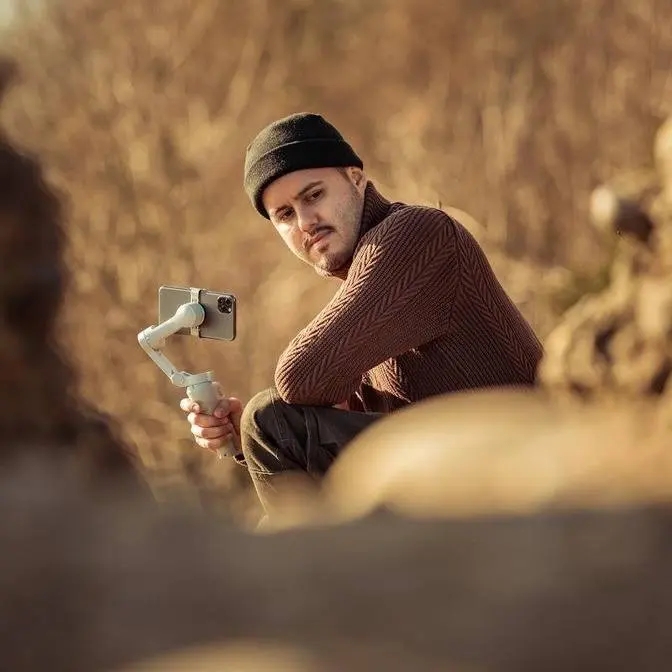
Right now I'm actually showing you how I set it up
and how I would normally film myself.
Your B-roll also doesn't have to match exactly what you're saying.
You don't need a new shot
for every sentence. A longer take can actually feel really calm
in a video like this.
You don't need a thousand angles to make it engaging
because what you're saying is what
matters most and the B-roll just helps merge
the image with your voiceover.
Here's an example of my voiceover edit inside Final Cut Pro.
You can see I have the voiceover
at the bottom with all the B-roll added on top.
In the voiceover, I cut out the bad parts where
I made a mistake and I
also add some background music to fit the mood of the voiceover.
I want to keep this part really simple
because that's really all you need to do.
And then you're ready to post it.
So voiceover isn't a replacement for talking to the camera.
I still think showing your face is a great way
to connect with your audience, but on
days where it just won't come, you don't have to skip your video.
Keep the voiceover in your back pocket,
film your day, and keep posting.
And if you want help posting consistently,
I just launched Creator Momentum,
a small live group where the goal is to post four videos in four weeks.
Every week there's a live workshop and a Q&A with me.
It starts in January with only 20 spots,
and you can join the free waitlist with the link in the description.