DISCLAIMER Some links are affiliate links, where I earn a small commission if you click on the link and purchase an item. You are not obligated to do so, but it does help support this YouTube channel and allow me to continue making videos for you. I appreciate your support!
TIMESTAMPS: 00:00 - Intro 00:45 - Preparation Can Turn Into Procrastination 01:57 - Make Fever Decisions 02:45 - Simplifying Your Workflow 04:03 - Separate Your Essentials From the Optionals 04:58 - Good Enough is Better Than Perfect 05:26 - Stop Adding Additional Steps
AI Generated·May contain errors
Video Summary
AI Generated
This video provides practical advice for creators who struggle with overthinking and over-planning. The speaker emphasizes shifting from a mindset of preparation to one of action, demonstrating how simplifying gear, workflows, and expectations can remove the friction that prevents consistent content creation.
If making YouTube videos feels difficult, then you might be making them too complicated.
It's easy to think that the answer is more planning, more gear, more preparation.
But that can be the very thing that is stopping you from creating.
Instead of asking yourself, what do I need to prepare next?
Ask yourself, what practical action should I take next?
So in this video, I'll show you how to simplify your decision
so that you stop overthinking and can actually move your video forward.
Now, by the way, this is going to be more of a walk and talk video.
So not many fancy b-roll, just me talking to you and delivering my message.
So I hope you like this new format.
So the first thing is preparation can turn into procrastination.
And I've been a victim of that myself.
Planning becomes useful until it stops you from creating.
Now, I'm still a victim of that today, but it wasn't as bad as when I started out.
When I started out, I used to plan my videos to the very detail.
And while having an intentional video is important,
at some point, you got to stop planning and just go out and create.
So the way how I plan my videos now is I first come up with the idea.
I think you should spend the most energy on the main idea of your video.
And once you have that, I write down the hook.
This way, I can tell you what the video is about and what you can expect.
If you are not comfortable talking freely to the camera,
I like to write down three to five bullet points.
And this way, I also make sure that I deliver those points to you.
And you can simply write all of that down into your notes app.
This way, you can pull it out and look at your notes and then continue talking to the camera.
The next point is making fewer decisions
because every extra choice gives you another opportunity to overthink.
To give you an example, I'm filming right now on the Insta360 Luna Ultra.
That's the only thing I brought with me with one accessory, the tripod stand.
So instead of bringing a heavy camera with you that is complicated to set up
or overpacking by bringing a drone, an action camera,
you limit yourself to this one camera and are able to film with less friction.
And for me, the best part about the Luna Ultra is that I'm able to detach the remote controller
and it also has a built-in mic so I can capture myself from different perspectives
while talking to the camera and having it capture clean audio.
So this leads me to my next part, which is simplifying your workflow.
So like right now, I decided to make a walk and talk video.
I could add like fancy b-rolls to it.
I could maybe be at a more epic location or find a more exciting activity.
But for me, what's really important is that I'm able to deliver my message
as clearly as possible to you without having to overproduce the video.
And since I'm all by myself, I don't want to make the setup more complicated.
So really keep in mind that the simpler way of filming can just make the creation process easier.
And I particularly like the Insta360 Luna for that.
Not only does it produce great image quality,
but the audio that you're listening to right now is from the internal mic.
So I don't need to use a wireless mic and can just turn it on
and start talking to the camera while it records high quality audio.
And that's what I really like about these pocket cameras,
whether it is the Luna Ultra or a 360 camera or action camera.
These are easy to set up, easy to bring along
and make the whole filming process also just more enjoyable.
The next tip I have is separating your essentials from the optionals.
So for example, making this A-roll, the talking head videos and delivering my points
is more important than shooting all of the B-roll.
If I capture B-roll, I just make sure I capture only the necessary B-roll that I need
so that it helps convey the message better.
And this to me has worked really well.
And you've seen an example in this video where I talked about
the detachable remote controller on the Luna Ultra.
I showed a B-roll of the detachable remote controller
and also of the built-in mic as well as the stand.
And that is more than enough. I don't need more.
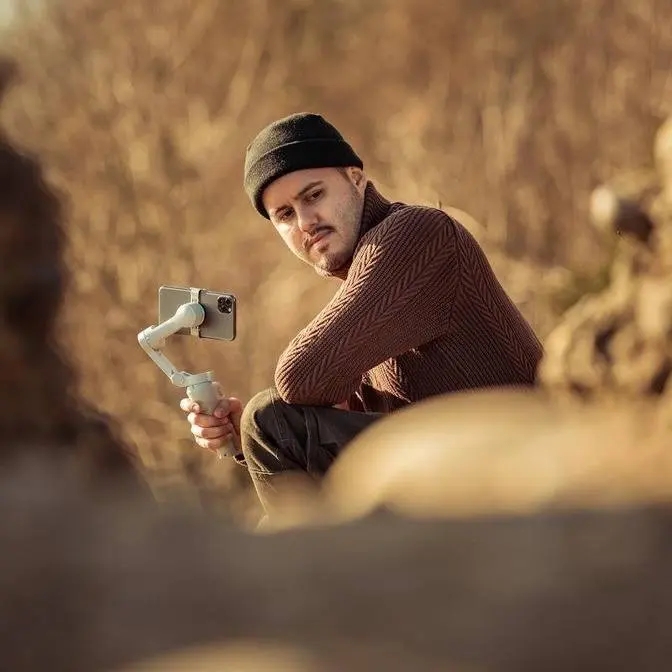
And I capture all of these B-rolls on my iPhone.
I don't need to overcomplicate things.
I don't need to bring a mirrorless camera with me for that.
Creating a video like this would take me a full day,
unlike right now, which only takes me half a day or even less.
Next up is good enough is better than perfect.
An example for that would be like right now doing a talking head video.
And instead of having to repeat myself constantly
and deleting the video just because I stuttered,
maybe my body posture wasn't right.
So just be okay with what you have.
And you can always delete the bad parts later in the edit.
So really just keep a solid take and stop deleting your videos 10 times.
The last thing I want to leave with you is stop adding additional steps.
When you realize that you are preparing too much,
you should just stop and just go out and shoot.
So by just experiencing it and going through these uncomfortable moments,
you'll get better the next time. I promise you that.
I remember this one time where I created this B-roll shot list template on Notion.
So I would write down all of these B-roll shots
that I wanted to capture for a fairly simple video.
And I would take my iPad with me.
I would mount it on my tripod, do the A-roll.
Then I would kind of look at what's the B-roll.
And then I would go through the list, take those B-rolls,
which was a really tedious process.
And it's good that I did that though,
because I realized that this was not a workflow that was sustainable.
And now what I do, since I have my talking points,
I simply use that as B-roll, right? It's that simple.
So I'm about to end this video and then head back home.
Joke.
The last thing I need to do is capture a thumbnail.
And I've simplified that process as well by just, again, using my iPhone.
Before I would use my Sony ZV-E1, set up the tripod,
and then use the Monitor Plus app on my iPhone to control the camera.
And taking thumbnails would take me like an hour or so.
So I hope you enjoyed this walk and talk video.
And if you're interested in the colors that you're seeing right now,
I do have my iLog LUT packs available in the video description below.
Other than that, thank you so much for watching.
And I will see you in the next one.