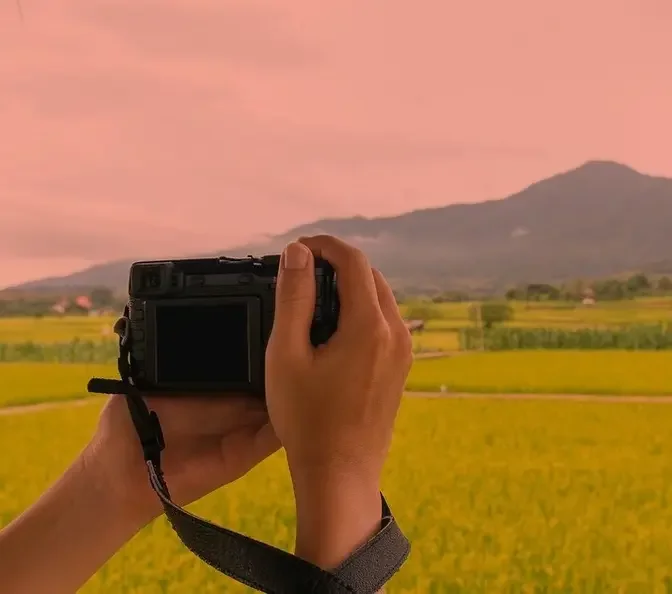
The Hasselblad X2D Mark II is a specialized medium format tool designed for those prioritizing extreme image quality. While it offers a 100MP sensor, LiDAR autofocus, and a 1TB SSD, its high cost and massive file sizes make it a niche choice. It is ideal for deliberate, high-end photography but unsuitable for fast-action sports or wildlife.
This video is sponsored by Squarespace, the number one website platform for entrepreneurs.
After six months using the Hasselblad X2D2, I want to share with you the good, the bad,
the quirks that I found, and in the end, why recommending this camera is just so freaking
complicated. Now, the reality is that most cameras nowadays, they all kind of feel the same, right?
But the X2D does it. It offers something completely different in terms of experience
and the feature set, but it's going to cost you, okay? Just be prepared to spend some time
in a doghouse. You hear me? Now, what makes this camera unique? You might ask. Well, 100 megapixels,
16-bit raw files, visual crack for image quality snobs like myself, okay, with the Hasselblad
color science. You have the internal one terabyte SSD. That's nearly 5,000 photos without ever
popping in a CFexpress card. LiDAR autofocus. You no longer need light or contrast to actually
achieve focus. 3.6 rear display. It's like having a mini iPad glued to the back of your camera.
IBIS up to 10 stops. Leaf shutter lenses. High-speed sync is now a thing for peasants,
or at least when I'm using the Hasselblad. If you were to ask me if you should upgrade from
the X2D version one to the two, or if you're purchasing an X2D for the first time, my answer
to you would be dependent on if you need autofocus or better autofocus, right? So,
if you're shooting static subjects like mountains, I would say get the version one and save yourself
some money because this update is all about the autofocus, okay? If you're shooting people,
animals, it's absolutely no, like no, with no question, this is the better option, okay?
Now, my experience with the autofocus on the X2D Mark II, I mean, it's extremely accurate. No more
eyelash autofocus when you're shooting up close to someone's face. Using this camera in continuous
autofocus, it feels like I'm shooting on a Sony or any other mirrorless modern camera,
but it's unique in a sense that you don't need contrast or lights to obtain autofocus
confirmation because this one has LiDAR, which I'm surprised no one else has really adopted this
within the camera market. I could aim this camera at a plain white wall and it will still
acquire focus. Let's talk image quality. It's intoxicating. Working with these 16-bit RAW
files on my big 32-inch screen, my jaw is permanently disconnected from my face.
It's on the ground. Combining this resolution with the lenses, the micro contrast, the textures,
the only way to describe it, again, it's a euphoric experience when looking at the images,
but at the same time, I believe that this camera is gonna be only really appreciated by the image
quality snobs out there. Now, hear me out. I've done extensive testing with this camera against
the best of full frame, and in most scenarios, only the advanced user will be able to consistently
appreciate the nuance and the superiority of these images versus full frame. In a lot of situations,
you really can't tell the difference unless you are at 100%, 200%, and at that point,
there's no point. Sometimes you will see it, sometimes you won't. Sometimes you do see it,
you just don't know how to explain it. Now, let's talk user experience. One of the more
underappreciated aspects of a camera. Now, it doesn't matter who you are for this one.
Anybody with a pulse will be able to appreciate the design, the ergonomics of this camera. It's
until you actually hold one that you're gonna be able to really understand what I'm talking about.
Now, this camera was carved out of a single block of aluminum, so it definitely has some weight to
it, but it balances really well when paired up with their newer XCD lenses. And for long shoots,
I don't feel any fatigue unless I'm using the 35 to 100 lens. That's a whole different story.
Even to this day, I still think that this is the most beautiful digital camera ever created,
even more now with the graphite gray top. And I think that's relevant here because
I'm always looking for a reason to pick this sucker up and use it. I love the minimal
Scandinavian design. However, I will say that the version one was objectively a little too
minimal and screen reliant. So on the X52, they added the joystick and this little custom button
down here on the grip, and it makes all the difference in usability. Now, to keep things
clean, they even went to the extreme to make both the front and rear dials, both dual function. So
I can press them in and I can access another function in the camera that I can customize
in the menu system. It's all just really well thought out. The EVF, the Sony A1 and A12 has
the most impressive full frame EVF out there with almost 10 million dots, but it still cannot hold
a candle to this one. The rear screen, absolutely massive. It's like tethering in real time. The
photos look vibrant and alive. And this is great when you're working with clients because it gives
them a really nice representation of the photos that you're taking of them. I love it. The slight
leaning gives it a little bit more. I love being able to tether directly to my iPad using the
focus app. Like not only are you able to take full control of your camera using the app, but you also
get a real time feed as you're shooting. Now, why hasn't anybody else done this yet? These are
100 megapixel files and they transfer pretty quickly over to the iPad. But I will say that
there are a few bugs in this app that I will address later on. But I do wish, but I do wish
that this camera was compatible with software like Evoto. Evoto, I like tethering to Evoto
because you can show the client an edited image of themselves rather than a raw image. The internal
one terabyte SSD will make you question why this isn't an industry standard. It's so nice to be
able to pick up a camera and just use it rather than thinking about what memory card you're going
to use and if you need to format it. But of course, for important shoots, it's nice to have that
internal redundancy. You can put a CF Express in there, but it is so nice not to always need an SD
card. Let's talk about lenses. I really don't have anything negative to say about the lenses
themselves other than the fact that you may have to sell an organ to buy one. But they do offer
something that most other lenses don't. And one of the best things of picking up a Hasselblad camera
is knowing that these lenses have leaf shutters in them. And that means that I have access to
higher flash sync speeds. So on this 90V, for example, I have a 14000 flash sync speed. So I'm
able to use the flash as it was intended. And I don't have to resort to high speed sync where I'm
getting less power output and an increased battery usage. On top of that, look at how small
these lenses are. I mean, considering how big the image circle is, look how small and lightweight
they are. They have a leaf shutter in them. It's a F2.5 90mm lens. And the rendering,
the micro contrast is just on a different level. They also have this push pull mechanism here.
So you can go to manual focus. I've actually made multiple videos going into detail on how
these cameras render compared to other premium setups. And I provided downloadable files. The
link to those videos will be down below. I would love to see Hasselblad release more budget options
like the 75 and the 28. I would also love for them to release a longer focal length. At the top of my
list, I would say I would love an 85mm equivalent lens on full frame. And that would be similar to
the 110mm F2 that Fuji makes for the GFX line. Now, what about some of the things that I don't
like? The first one has to do with the workflow. So dealing with these large files is something
you have to be ready for, especially with the increased cost of storage nowadays. Each file
coming out of this camera is like around 211 megabytes. And for a normal photo shoot, when I
say normal, like maybe like 300 photos, that's what I usually take when I'm doing a couple
different looks. That alone is around 64 gigabytes of data. OK, I recently did a branding shoot and
I used the 45 megapixel Canon R5 II. I shot around 1100 raw photos and that alone was only 54
gigabytes. So this is something that you have to be prepared for. Now, another one is battery life.
The battery life of this camera, it's one of the weaknesses for sure. And it doesn't surprise me
given how much horsepower and how much data it's pushing and the size of the rear screen and how
much, you know, power this takes. If you aren't tethering this camera, you can easily get through
a normal photo shoot on one battery pretty easily. But the moment you start to wirelessly tether to
the iPad, you're going to see a dramatic fall off in battery performance. And the last shoot
that I did where I tethered, I had to charge mid-shoot to, you know, get back up and run it
again. Now to piggyback on my last point, if you are as OCD as I am, the time that it takes you to
retouch will also increase when you're working with these files that just have so much more
detail in them. All right, the next one has to do with the app. So this has to be one of the best
camera apps out there right now. I still think Lumix has a very robust app and they offer a lot
of different features. But for the sake of just shooting photos, I think this Hasselblad one is
the best. The one issue I constantly have, though, is when I'm tethering to the iPad, the live feed
will sometimes just appear in the wrong orientation and there's no physical button in the app to
change that orientation. You can close the app, boot it back up, lock or unlock the orientation
in the Apple menu. I've tried all those things. You just got to get lucky that it decides to work
properly. So I hope that in the future they will include a physical button on the UI to change that
or the orientation. Now, this one is something that I complained about on the version one and
it was not improved on the version two. I don't hear a lot of people complaining about it. So I
don't know if it's just me being picky or whatnot. But look, there's like a half second delay on the
EVF. So the moment I put my when I put my eye up to the viewfinder, there is like a half second
delay until the EVF pops on. And, you know, it's not a huge deal, but if you're in the heat of the
moment, it would be nice if it was just faster to switch. Yeah, around a half second delay drives
me nuts. Now, this is another one that I discovered maybe a couple of months ago. This camera has
continuous autofocus and it changes how you shoot with Hasselblad. But for those that want to pick
up older style glass, the the AF-C autofocus continuous is not supported with the older
glass. Now here's a niche one. And I'm talking to the engineers right now. Please allow us to assign
exposure exposure simulation to a custom button. Pretty please. Pretty please. Okay, now I'm going
to tell you why recommending this camera is just so complicated for me. But first, I want to thank
Squarespace for sponsoring this video. Now look, if you are using your social media to show off
your portfolio of work, I'm sorry. Sorry, but that's just not that's just amateur hour. Okay.
Squarespace makes it so freaking easy to manage, to create and manage any website, whether it's a
portfolio, an online store. I personally use Squarespace for everything. It's where my clients
can see my work at its best quality, not Instagram. It's where I manage my online store. It's where I
sell my off camera flash mini course. I built my entire course using Squarespace templates and all
of their AI tools. And if I ever had an issue, I can just hit them up because they have 24 seven
customer support. No more waiting, try Squarespace for yourself and use the code Manny for 10% off.
Now when people ask me if they should buy the Hasselblad X2D, like I it's I refuse to answer
and give you an outright yes or no, because it would be doing you a disservice or them a
disservice. I feel like people can easily easily just buy into a camera system thinking that,
you know, anything that they do is going to turn to gold. And that's just not
the case. If you're someone that has 10,000, 10 to 15,000 to drop on a high-end camera setup,
I would actually encourage you to purchase the Hasselblad over, let's say a Leica, assuming
that you're also looking at Leica because don't get it twisted. I appreciate what Leica brings
to the table. I love the design of the cameras, the heritage it's second to none. But if you're
going to spend that kind of money, at least get something that's an actual upgrade over what's in
the market right now. And you also still get the heritage and the design. You still get those
things with a camera like this. Now, if you're someone that shoots full frame and your goal is
to unlock that next level image quality. First, like I would need to see your work to see if it's
any good. And if you understand lighting at a high level, because if you don't, I would hate for you
to drop all this money to continue to take mediocre photos. And look, I'm not trying to
pretend as if I'm some kind of gatekeeper of medium format. I'm in a privileged position
where I can test these cameras side by side, the best versus the best. Not everybody will be able
to appreciate the medium format look. And I know saying medium format look is triggering for a lot
of people because yes, technically this isn't true medium format. But what I mean by medium
format, you know, again, I'm not talking about just background blur. I'm talking about that
beautiful, organic looking texture in the photos, the color depth, the micro contrast, those
beautiful tonal transitions, and that highlight roll off. That's what I'm talking about. Now,
if you're interested in the Hasselblad X2D2 for the experience and for all the unique features
that it offers, like this is where I can be more confident in my recommendation to you because this
camera is special. It's refreshing to pick up a camera that's a dedicated tool for picture making
rather than picking one up that wears 20 different hats. As long as you're not trying to shoot sports
and wildlife with this camera, it can handle almost anything else that you can throw at it.
You know, you can pick up this camera and use it just like any other mirrorless camera
out there. Yeah. Okay. Sorry. Sorry if I'm going off on a tangent here, but just like anything
else in this world, nothing is black and white. And I feel like giving a camera recommendation
is nuance, but this one is extremely nuanced because it is such an expensive camera. So
hopefully this video was helpful in some way. If you want to learn how I light my portraits,
I have an off-camera flash mini course only for a hundred bucks. I will link that down below in
the description box. If you want to want to color grade like me, I also have some lighting presets
for sale. All right. It's, it's rough out here on YouTube nowadays. So I appreciate your support.
And also for those that have been reaching out to me in my DMS talking about Hasselblad. I know
Dimitri shared his experience with the camera and an issue that he had on the app. I couldn't
replicate that issue, but it's always just, you know, cause I'm, I'm only using this camera in
my scope. I want to be able to learn more about the camera and just see what's going on so that
I could relay the information to Hasselblad. You know what I mean?