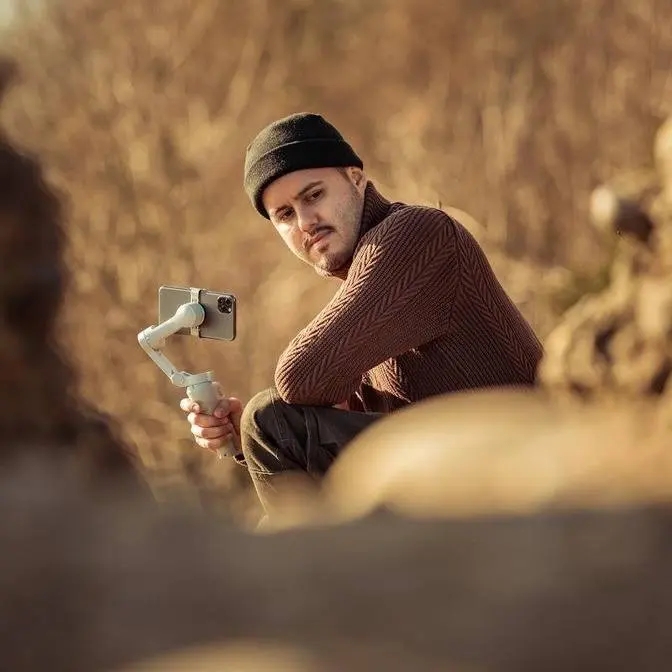
In this video I’ll share some tips on using the DJI Flip as a vlogging drone. This self-flying drone has amazing features that make it easy to capture high-quality videos and moments with minimal effort.
ARTLIST – Top Music, SFX & More! 🎶 Get 2 months FREE + 10% OFF the MAX plan: ► https://bit.ly/2M4cN6a 🎧
DISCLAIMER Some links are affiliate links, where I earn a small commission if you click on the link and purchase an item. You are not obligated to do so, but it does help support this YouTube channel and allow me to continue making videos for you. I appreciate your support!
it is a great day and I'm here with my
content creator friends and we're super
excited to go ice skating on this frozen
lake hopefully it's safe if not it's
been nice knowing you guys I thought it
would be a good time to share some
valuable tips on how to use the DJI flip
to film a cinematic Vlog this
self-flying drone has awesome features
that make it simple to record
highquality videos and Capture Moments
without any hassle now thank you to
artless for sponsoring this video
artless is a music licensing platform
that provides reality free music and
sound effects without copyright issues
I'll share more about them later in this
video now the DJI flip is an excellent
drone for many types of filming
especially vlogging it's small light and
easy to use perfect for solo creators
like me who are always on the go it has
much better image quality and longer
battery life than the DJI Neo so I can
fly longer distances and fil more
without recharging I use it for
everything from YouTube videos to
professional project and it's been super
reliable the automated flight modes
simplify taking great aerial shots of
myself but I can also fly it manually
for more control now let's talk about
the tools you need for a great Vlog with
a DJI flip first is the DJI mic mini
it's a small portable wireless
microphone that gives you clear high
quality sound I'm actually using it
right now and you can use it with your
camera smartphone action camera and even
with the DJI flip which I will talk
about later next let's talk about ND
filters they work like sunglasses for
your drone DJI has them available on
their store and they include three
strengths nd16 nd64 and MD
256 and these filters help make your
videos look more smoother and more
natural by adding a motion blur which
can make your shot look more dramatic
and add interest I'll share more tips on
how to get this effect when we cover the
camera settings so next is the rcn3
controller you don't have to use it you
can control the Drone with your
smartphone through the DJI fly app or
the automated flight modes however the
rcn3 controller gives you a better
control over your camera settings which
is limited when using other methods if
you want to get the best quality
possible I recommend using the
controller now throughout this video I
will show you how you can use all three
methods to control your drone and create
interesting looking shots for yourself
so here's how to get the best camera
settings when flying the flip with the
rcn3 controller now if you want high
quality drone shots it's best to lock
the exposure unfortunately you can't do
this in the automated flight modes or
using your phone with the DJI flip and
this can cause changes in brightness
making your footage look inconsistent
now to fix this you can use the rcn3
remote controller with your phone this
makes it easy to change the settings to
get the look you want and properly lock
your exposure the easiest way is to use
the automated settings and set the FN
button to lock unlock exposure then
before you start filming you can press
the FN button to lock the exposure the
other way is to switch to Pro mode and
adjust the iso and shutter speed
manually now since I'm shooting in 4k at
25 frames per second I set the shutter
speed to 1 over 50 and this helps create
a natural motion blur in the video to
fix the exposure I mount the right andd
filter additionally I lock the white
balance to avoid color shifts as for the
color profile I set it to the log M
which gives me a better dynamic range
and allows for more flexibility in postp
production when color grading finally
under style I lower the sharpness to -2
and the noise reduction to1 this makes
the footage look more natural and less
digital I can always add sharpness later
during the edit so my first tip is to
use the DJI mik mini so I'm now using
the DJI mik mini and you can see it
cancels out the propeller noise what's
great is that I can film handsfree while
I've set the DJI flip to follow so you
can see when I try to move away the
Drone starts following me which is
really cool and this allows me to more
conveniently create a blog without
having to use the built-in mic on my
phone you could use your smartphone but
the downside is that I have to have the
phone close to my mouth so let's see how
fast this drone can really
go this is so unreal I mean this whole
lake is frozen and can just skate on it
and there's nobody here so yeah by using
the DJI mik mini you can Vlog more
conveniently and capture the audio
without having to use your hands so my
next tip is to use the quick shot modes
now if you're in a hurry and need quick
b-roll shots of yourself try the quick
shot modes the flip will automatically
perform preset flly patterns if you have
more time it's better to use the remote
controller since you are able to lock
the exposure which can improve your
shots a lot now there are six quick shot
modes to choose from my favorite are a
follow Circle and Direction track you
simply select the one you like and long
press the button to start my next tip is
to include high quality music in your
Vlogs and that is where our sponsor of
today's video artless comes in with
their simple license you can download
unlimited songs without worrying about
copyright issues and what's great about
their platform is how easy it is to find
the perfect track you can search by
instrument genre mood or video theme
once I have a song I like I can start
downloading it and add it to the
timeline and with the right song I can
add an extra layer of emotion and
storytelling to my Vlogs and drone shots
now I mainly use artless for their
highquality music and sound effects but
they also offer a lot of other creative
assets for your videos in 2024 they
introduced AI voice over artboards and a
fresh new design in 2025 they're
bringing even more with speech to speech
voice voiceovers advanced search and
collaborative artboards the artless
library extension adds footage and LS
directly into your editor while the new
AI tool helps you create complete videos
plus exclusive content from worldclass
artists will make your videos stand out
even more big things are coming if you
haven't used artless yet the link is in
the video description below use it to
get an extra 2 months for free once
again thank you artless for sponsoring
this video now let's move on to the next
tip my next tip is to use manual control
for precise shots the quick shot modes
are great but pairing your phone with
the flip gives you manual control using
the virtual joystick and this allows you
to create other Dynamic shots like the
reveal shot flyby flythroughs and come
into frame shots with simple linear
drone movements there are also many ways
to use it for Creative shots so I
recommend experimenting with it my next
tip is to use the Drone for handheld
vlogging and not on aerial shots now did
you know that you can Vlog handheld with
the DJI flip by connecting my phone to
the DJI flip and using the DJI fly app I
can set it to manual control and then
start recording without having the Drone
to be in the air and I'm also using the
DJI mik mini which is connected via
Bluetooth to my phone so this way I can
put my phone away and Vlog more
conveniently what's really cool is that
I can also skate while while vlogging
because it features a three AIS
stabilization resulting in smooth
looking footage so let's see what my
buddy swen is doing hey what are you
doing all the way out
here this is the
life the ice is going to probably break
in minutes yeah hopefully not now what's
really cool is that as I come closer it
creates that shallow depth the field
where the background is out of focus and
I'm in in Focus which creates a more
professional looking video and I'm also
recording this in 4k 25 frames per
second in dlog M which gives me more
flexibility in post- production to color
grade the footage now I don't think too
many people know about this hack I think
it's pretty awesome that I can film
myself handheld that adds another
perspective creating a more Dynamic
scene what's also really cool is that I
can create some b-roll shots laid on the
ground like that with the phone I get a
live preview this way I can frame myself
once I'm
ready I can create some interesting
looking shots my last step is to use the
remote controller if you want the best
video results it allows you to adjust
the camera settings lock exposure and
monitor your shot the remote also gives
you access to tracking modes like active
track Spotlight and point of Interest
unlike the automated flight modes using
circle with the remote controller lets
you move around while the Drone circles
around you creating a more Dynamic shot
with Spotlight you can move the joystick
up or down to create a crane-like shot
adding a unique angle to your footage
now this drone can do so much more but I
hope this helped you learn how to use
the DJI flip as a vlogging drone for
your content creation needs now if you
have any questions feel free to leave a
comment below if you're not sure whether
to choose the DJI Neo or the DJI flip
check out my comparison video over here
I'm going to enjoy the rest of the day
thank you so much for watching have a
great day and see you the next time
[Music]