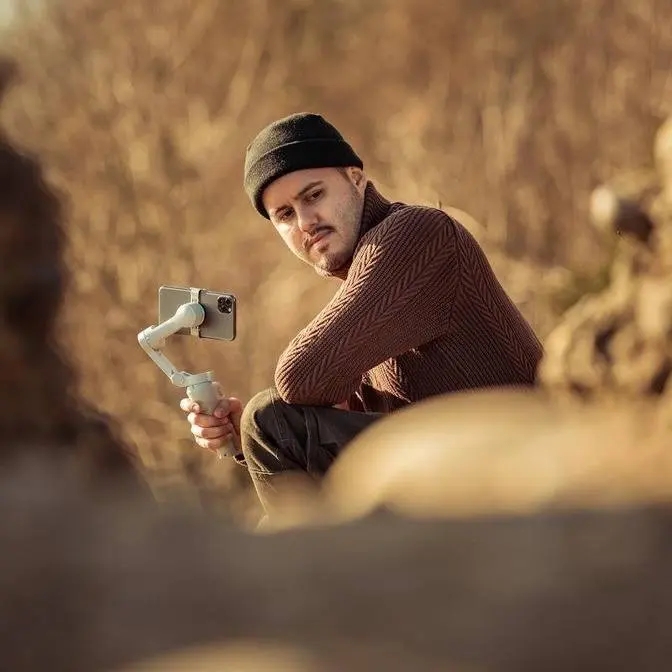
This Pocket Drone Flies Itself and Shoots 8K! - HoverAir X1 Pro Max Self-flying, ultra-portable, and up to 8K resolution—meet the HoverAir X1 Pro Max. In this video, I break down its features, flight modes, and why it’s the perfect drone for creators on the go.
DISCLAIMER Some links are affiliate links, where I earn a small commission if you click on the link and purchase an item. You are not obligated to do so, but it does help support this YouTube channel and allow me to continue making videos for you. I appreciate your support!
TIMESTAMPS: 00:00 - Introdcution 00:48 - Breakdown HoverAir X1 Pro Max 01:14 - Design & Build Quality 01:51 - Palm Launch, Landing & Preset Switching 02:59 - Flight Modes 04:08 - Image Qualtiy 06:04 - Control Options 06:59 - Battery Life 07:16 - Who is this drone for?
As a solo creator, capturing footage of
yourself can be a challenge. But what if
I told you there's a self-flying drone
that can make it easy? This is the Hover
Air X1 Pro Max, and with just the press
of a button, you can capture stunning AK
aerial shots.
[Music]
So, in this video, folks, I'll walk you
through my experience with the Hover Air
X1 Pro Max, showing you what it's
capable of, so you can decide if this is
the perfect drone for your creative
projects. Also, a big thanks to 00
Robotics for sponsoring this video. So,
Hover offers several bundles, and I got
the skiing combo. Let me just quickly
show you with what the Hover Air X1 Pro
Max is equipped with. So, at the front
you've got a camera that is sitting on a
twoaxis gimbal. On top there is a power
and select button along with a display
screen, a USBC charging port to the
side, a micro SD card slot. It features
four propellers which are protected by
propeller guards along with a bottom
sensor and rear obstacle sensor. What I
love about the Hover Air X1 Pro Max is
how incredibly compact and easy it is to
carry around. Its foldable wings snap
into place with magnets, and when
folded, it's about the size of my palm.
At just 192 g, it's under the 250 g
limit, which means I can fly it in many
places where I don't necessarily need a
drone license. Though, be sure to always
check your local drone rules. Now,
despite being so lightweight, it's
surprisingly sturdy. The propeller
guards protect the drone from minor
bumps, and I did bump it a few times,
but it still flies perfectly, and also
it makes it safer to fly around people.
The Hover Air X1 Pro Max is really super
easy to use. It launches and lands right
from your palm. No control needed. Just
unfold the wings and press the button
for 1 second to take off. It will then
start recording automatically. And when
you're done, hold your palm beneath the
drone and it will land gently. Now, a
total game changer is the built-in
display that allows me to see the
current flight mode, battery life,
altitude, and distance. And what makes
this drone even better is that I can
tweak the flight settings directly
without needing the app. I can use the
side buttons over here to switch
presets, adjust distance, or change
altitude. Now, if you're looking for
more customization options, you can
definitely use the Hover X1 app to
enhance your flight experience. Now,
inside the app, there are tons of
advanced customization features, but
diving into all of them would make this
video way too long, so I want to really
focus on the fundamental features that
truly make this drone amazing. Now, one
important thing to remember is before
takeoff, make sure to wait for the omni
terrain icon to activate. It takes
around 30 seconds. Once it turns solid,
you're all set to fly over water, snow,
uneven surfaces, as well as large height
differences. The Hover Air RX1 Pro Max
has various built-in flight modes that
are perfect for capturing unique shots
of yourself. And these include hover,
zoom out, orbit, follow, sidetrack,
bird's eyee, dolly track, and manual
mode. Hover mode locks a drone in place
to track your movement. Zoom out pulls
back to capture your environment while
still keeping you in the frame. Orbit
mode circles around you, but be careful
in this mode as it doesn't have side
sensors. So, make sure to use it in an
open, clear area. Then, we have follow
mode, which tracks you from behind and
can go up to speeds of 42 km per hour.
Perfect for walking, running, biking, or
even rollerblading. Then, we've got
sidetrack. Like the name suggests, it
captures the subject from the side. Then
there's bird's eye, which captures a
top- down shot of you, but you can also
change the camera angle instead of
downfacing front-facing to create a
reveal shot. Then there's dolly track,
in which the drone captures you from the
front, giving you gimbalike shots. Then
there's manual mode, giving you full
control via the app's virtual joystick.
Hover also includes a range of other
unique modes, such as ski, cycling,
dolly zoom, and so on, depending on the
type of scenario you're filming. Now,
I've been seriously impressed with the
video results. They were incredibly
smooth even in windy conditions, all
thanks to the twoaxis gimbal and
electronic image stabilization. The
Hover Air X1 Pro Max comes with 64 GB of
built-in storage, perfect if you forgot
your SD card at home. However, you can
expand it up to 1 TB with a micro SD
card. Because shooting in 8K does take
up a lot of space, 1 minute is about 2
GB. Most of the time I prefer shooting
in 4K anyways since the image quality
still looks great. As I mentioned
earlier, it can shoot up to 8K at 30
frames per second. It is equipped with a
1 over 1.3 in SIMO sensor and a 16 mm
wide-angle lens providing a wide field
of view that is perfect for aerial shots
and performs great also in low light. It
also handles a 4K HDR and HLG 10 bit
color up to 60 frames per second and
also stunning 4K at 120 frames per
second for ultra slow motion. Now, you
can also shoot vertically which records
up to 4K at 30 frames per second. Great
for social media. Now, all of the
footage you've seen so far was shot
using the manual camera settings using
the Hover AirX1 app, which to me is the
biggest advantage of getting this drone.
And here's the best part. It works with
both manual mode and automated flight
presets. You can easily adjust and lock
settings like ISO, shutter speed, and
white balance to prevent exposure or
color shifts, giving your videos a more
professional look. Because sometimes
auto mode can overexpose your footage,
especially in the skies, making it look
less appealing. Now, when using the
smart preview to adjust the camera
settings for automated flight modes, I
usually film in 4K at 25 frames per
second in HDR for 10 bit color. I set
the shutter speed to 1 over 50 for a
smooth cinematic motion blur and use
Hover's ND filter to balance the
exposure. And once everything's set, I
launch the flight mode with these
settings locked in. The Hover Air X1 Pro
Max offers some incredible control
options that make it super versatile and
fun to use. Now, my absolute favorite
is, of course, the self-flying mode.
It's perfect for effortlessly capturing
cinematic shots of myself. Now, when it
comes to getting more creative shots, I
love using manual mode. With the Hover
X1 app, I get a live preview and oncreen
joystick, which is fantastic for pulling
off precise moves like smooth flybys or
custom reveals. And I get about 500 m of
range with a smartphone, which worked
really well for the usual shots I
create. When I need to take things up a
notch, like flying higher or generally
need more precise control, I switch to
the beacon and joystick. It not only
extends the range of up to 1 kilometers,
but also provides great accuracy for
those moments when I want to use the
drone like a traditional one. And this
setup works flawlessly for me, allowing
me to capture everything from those
standard shots to more dynamic ones
while still having all the controls I
need. Now, in terms of battery, the
Hover Air X1 Pro Max offers up to 16
minutes of fly time. Though in my
experience, I get around 12 to 14
minutes depending on factors like
weather and speed. For casual clips, two
batteries are usually enough, but if I'm
filming all day, for example, I usually
bring at least four. So, who is this
drone really for? I personally had a lot
of fun using it, and it's definitely
earned a spot in my film making kit. I
absolutely love compact gear that makes
life easier as a solo creator. It's so
much easier to get this drone in the air
for capturing establishing shots or even
just shots of myself. I think this drone
is perfect for content creators and
outdoor enthusiasts who want high
quality hands-free aerial shots without
the hassle of flying a traditional
drone. I also think this drone offers a
great balance between hobbyists and
professionals. You don't need much
experience to use it, but it also
provides advanced features like manual
camera settings to help you achieve a
more professional look in your videos.
Now, let me know what you think about
the Hover Air X1 Pro Max in the
comments. I'd love to hear your thoughts
and which features matters most to you.
Now, if you're interested in the
original Hover Air X1, I also made a
video about that which you can check out
right here. Other than that, thank you
so much for watching. Hope you enjoyed
this video. Take care and see you in the
next one.
[Music]