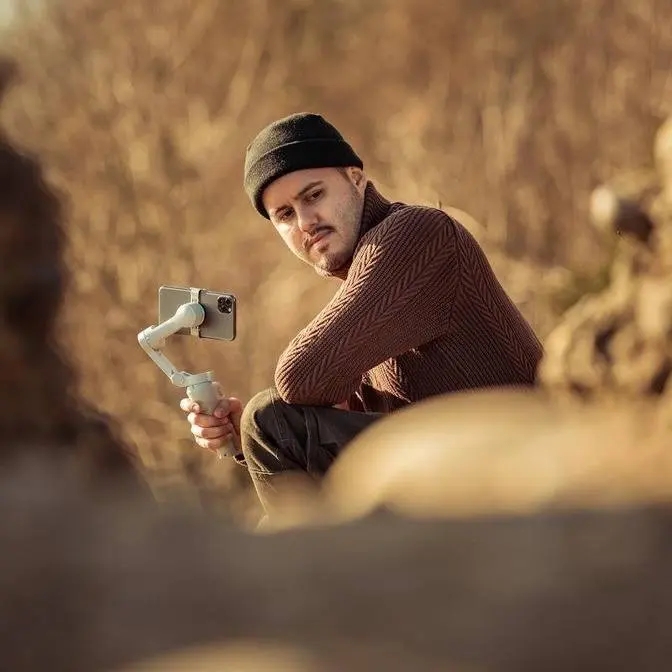
In this video, I compare three BOYA wireless mics — the BOYA Mini, BOYALINK 3, and BOYAMIC 2 — to help you choose the best mic for your content creation needs. Whether you're filming on your phone, creating YouTube videos, or working with clients, there's an option for every setup and budget.
DISCLAIMER Some links are affiliate links, where I earn a small commission if you click on the link and purchase an item. You are not obligated to do so, but it does help support this YouTube channel and allow me to continue making videos for you. I appreciate your support!
TIMESTAMPS: 00:00 - Introduction 00:31 - Why Audio Matters 01:10 - BOYA Mini 03:48 - BOYA Link 3 06:59 - BOYA Mic 2 10:11 - Which One Should You Get?
This is what it sounds like when you
rely on your camera's built-in mic. And
this is what it sounds like with a
proper wireless mic. If you're making
videos, whether it's for YouTube,
Instagram, client work, or just
documenting your life, audio matters way
more than most people think. But here's
the thing, not everyone needs the same
mic. So, in this video, I'm breaking
down three wireless mics from Boya, from
ultra budget to fully pro, so you can
pick the one that fits your gear, your
goals, and your wallet. Also, big thanks
to Boya for sponsoring this video.
Here's the thing. People stick with
video that sound great, even if the
visuals aren't perfect. Bad audio equals
lost engagement. Good audio delivers
your voice, emotion, and message. And
here's the good news. Improving your
audio doesn't have to cost a fortune.
Choosing the right mic comes down to two
key factors: your needs and your budget.
Are you filming with a phone, a camera,
or streaming from a laptop? Do you work
in a quiet room? Or are you outside
close to a traffic? And also, if you're
always on the move, you want something
lightweight and easy to wear. And then
there's also the sound quality. Do you
just need something reliable, or are you
aiming for prolevel audio? Whatever your
setup or budget, there's a mic for you.
Let's break it down. Let's start with
the Boya Mini for $59. Perfect for
beginners, smartphone vloggers, and
casual users looking for simplicity.
This wireless mic comes in a compact
charging case similar to the AirPods.
You can see how small it is, making it
super easy to bring along anywhere.
Inside the case, you'll find a
transmitter, available in USBC and
lightning version, and two tiny
receivers. The receiver itself is
incredibly light at just five grams. And
because it's so lightweight, it doesn't
weigh down my shirt. And honestly, I
forget I'm even wearing it. Plus, its
discreet size means it's barely
noticeable on video and doesn't draw
much attention. Setting it up is super
easy. Just plug the receiver into your
iPhone's USBC port, clip the mic onto
your shirt, and you're ready to go. No
need to pair them manually. It connects
automatically and you don't need to do
any adjustments either. The Boya Mini
handles everything for you. The battery
life is solid. Each transmitter runs up
to 6 hours on a single charge and is
extendable to 30 hours with the charging
case. And like the AirPods, the mic
magnetically snaps into place when you
put it back in the charging case, which
I really love. Plus, it also offers
noise reduction, so you can adjust it to
suit your environment. So, this is now
an audio test with the Boya Mini. This
is how it sounds like. And we're also
going to do a noise cancelling test. And
by the way, I'm recording on the iPhone
16 Pro Max using the Blackmagic camera.
All right. So, this is how it sounds
like without the noise cancelling
feature. Let's now turn it on by
pressing the button over here. And And
this is how it sounds like. Let's just
wait until a car passes by. So, there
you have it. This is how it sounds like.
And this is now without the noise
cancelling feature. It has quite an
impressive range of 100 m. And this
makes it really great for most
scenarios. So this is around 50 m. You
should still be able to hear me. So this
is around 100 m. I'll probably never
talk that far away from a camera, but
hopefully you guys can still hear me.
Now, just to show you how important
audio quality is, I'm now using the BA
Mini. And when I now switch over to the
internal mic, this is how it sounds like
using the internal mic on the iPhone 16
Pro Max. And this is how it sounds like
using the Boya Mini, which is connected
to my MacBook Pro, which you can also
use for Zoom calls. And it's really as
simple as it gets, just plugandplay. So,
if you're looking for something quick
and easy, something that is ultra light
and perfect for filming with your
smartphone, then the Boya Mini is a
fantastic choice. Next up is the Boya
Link 3 for $99. This is really great for
creators who switch between phones and
cameras and need the extra features
without complexity. It comes in a sleek
oval-shaped charging case that looks
clean and modern. Inside, you'll also
find a receiver and two tiny
transmitters about the size of a one
frank coin. It's also versatile. It
works with mirrorless cameras via TRS
cable as well as smartphones using the
USBC or lightning adapter. Compared to
the Boya Mini, the Boya Link 3 offers
more flexibility in how you wear it. You
can use the included magnets to attach
it anywhere on your shirt or use the
clip to mount it on something like a
hat. It also comes with a windshield
which is super handy for capturing clear
audio outdoors in windy conditions. One
standout feature is the AI noise
cancellation, which blocks out
background noise in loud environments.
Let's now test out the noise cancelling
feature in a simple environment like
this. So, I'm just going to press this
button over here, and the light should
turn solid green, which means noise
cancelling is enabled. So, you'll hear
less of the ambient sound, and my voice
should be more present. Let's now
disable it. And now noise cancelling is
turned off. And this is how it sounds
like without the noise cancelling
feature. Lots of cars passing by. So
let's test out the noise cancelling
feature. Uh I've set it to weak. And
this is how it sounds like with the weak
noise cancelling feature enabled. Right
now there are no cars passing by. But
when I now disable it, this is how it
sounds like without the weak noise
cancelling feature. So, let's test out
the strong noise cancelling feature.
Right now, I don't have it on, but when
I press this button, it is now enabled.
And this is how it sounds like with the
strong noise cancelling feature on.
Let's now disable it. And now it's
disabled. And this is how it sounds like
without the strong noise cancelling
feature. And here's a cool trick. If
you're using a smartphone, double press
the noise cancellation button and you
can start recording remotely. The Boya
Link 3 is incredibly easy to use. So
once you take the device out of the
case, they automatically pair. Two LED
indicators let you know the transmitter
is connected to the receiver, which is
indicated in a solid blue light. After
that, just plug it into your smartphone
or camera, and you're good to go. No
manual gain adjustment needed. It
handles all of that automatically, so
you can focus on creating content. For
easier control, you can connect the
receiver to your phone using the right
adapter and launch the Boya Central app.
The app allows you to fine-tune settings
like switching between stereo, mono, or
safety track. You can also adjust the
output gain with four available levels
either through the app or directly on
the receiver. Additionally, you can
customize the AI noise reduction
strength to weak or strong. Plus,
firmware updates are also simple. You
can install the latest version directly
through the app. So, if you're a creator
who switches between devices such as
your camera and smartphone and need
reliable sound and a simple setup yet
with a few advanced audio features, the
Boya Link is a great mid-tier choice.
So, let's now dive into the Boya's
latest wireless mic, the Boya Mic 2.
Priced at $200, this is ideal for pros,
filmmakers, or creators doing client
work who need the absolute best audio
reliability and advanced controls. You
might have noticed that I've been using
it throughout this talking head video,
and it's packed with features that I
think you'll love. This AI powered mini
wireless mic comes in a sleek,
well-designed charging case, similar to
the DJI Mic 2. Inside, you'll find one
receiver, two transmitters, a USBC and
lightning adapter for smartphones, a 3.5
mm TRS cable for cameras, and two
lavalier mics for a more discreet setup.
It even includes easy to attach
windshields. and setup is super easy.
Like the other wireless mic, they
automatically pair once you take them
out. Now, what truly sets the Boyoa Mic
2 apart is the built-in LED touchscreen,
offering faster control and better
monitoring compared to other wireless
mics. You can quickly adjust settings
like volume and noise cancellation
directly on the receiver without needing
the Boya Central app. Of course, if you
prefer using the app, it's still an
option to customize advanced audio
settings there. So, let's now talk about
the features. First up, the AI noise
cancellation. This suppresses up to 40
decibel of background noise while
keeping your voice crystal clear. It
also has two noise reduction modes, weak
and strong, so you can tailor it to your
environment. So, let's now test out the
noise cancelling feature on the Boya Mic
2. I'm close to a road, but also close
to a construction site. So, let's use
this opportunity to test it. Right now I
don't have it enabled, but when I now
switch over to the noise cancelling
feature, I have it on right now. This is
how it sounds like. So let me now
disable it. And this is how it sounds
like without the noiseancelling feature.
Another standout feature is the 32bit
float onboard recording option. Really a
gamecher for professionals. Now with
32-bit float recording, your audio won't
clip or distort even if the sound gets
unexpectedly loud. You can fix the
volume in post-prouction without losing
quality, making it perfect for
unpredictable sound levels. Now, BOYA
also adds a layer of safety with onboard
recording, giving you a backup file of
your audio, which I'm actually also
doing right now. So, if you accidentally
unplugged the audio cable, you still
have your internal recording on the
transmitter. Plus, the Boya Mic 2
includes a limiter and a safety track
feature. The limiter prevents distortion
if your voice suddenly spikes, while the
safety track provides a -12dB backup to
ensure clean audio even in tricky
scenarios. So, if you're in the market
for a professional wireless mic setup,
the Boya Mic 2 is an excellent choice.
Not only is it more affordable than the
DJI Mic 2, which cost
$349, this saves you around
$150, but it also offers even more
features. And more importantly, it
delivers high quality audio and reliable
performance. And with that said, this
versatile mic is really perfect for all
kinds of filming needs, making it a top
pick for creators, vloggers, and
interview setups. So, just to wrap it
up, the Boya Mini is really great if you
want something affordable, super
lightweight, and easy to use for your
smartphone videos. The Boya Link 3 hits
that sweet spot between beginnerfriendly
and featurerich. For me, this is the one
I'd reach when filming most of my
YouTube videos. It's reliable, sounds
great, and works across my phone and
camera setups without any hassle. But if
I'm working on a client project, the
Boya Mic 2 is the obvious choice. When
audio really matters, having 32-bit
float recording, onboard backup, and
advanced noise control is a lifesaver.
It really gives me that peace of mind,
especially in unpredictable shooting
environments. Now, I want to know from
you which mic matches your style and
budget. Drop a comment below. I'm
curious to see what fits your workflow.
While audio is important, the visuals
also matter. So, if you want to know how
to capture professional quality videos
with your iPhone, be sure to check out
this video right here. Other than that,
thank you so much for watching and see
you in the next one.
[Applause]
[Music]
[Applause]
Heat.