
These 3 Minutes Will Change Your Photography Forever!
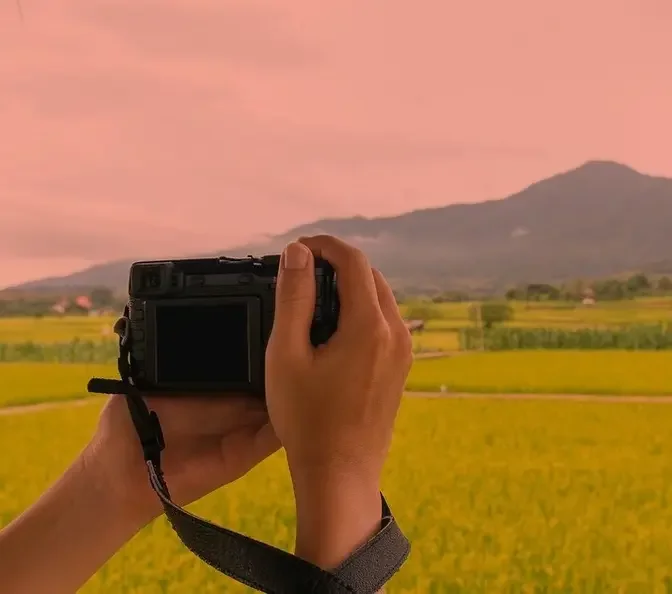
#PhotoCamera, #LandscapePhotography, #PhotographyExpert, #NatureShots, #ScenicViews, #OutdoorPhotography, #CameraGear, #LandscapeExpert, #TravelPhotography, #WideAngleShots, #PhotographySkills, #NaturalBeauty, #CameraTips, #PhotographyMastery, #LandscapeLovers
Good morning everyone! One of the biggest mistakes to get sharp photos is not
using the right autofocus area. In this video I'm going to show you
exactly what I keep seeing as a huge mistake
and why it doesn't work. Most people use what we call
the autofocus zone which is wide autofocus zone.
And why is it a bad idea? Let me show you why. Guys
we have the best youtubers and photographers on the planet
and they will help us to be great actors
to explain this concept. So here I'm shooting in wide autofocus with
the detection of the subject and as you can see
when I'm pressing I'm not choosing which subject is going to be detected. Right now
I'm on Jason but what if I wanted to be on Vivienne
or Professor Heights or I want to be on the foreground to have them blurry?
Well I have absolutely no control over that, right?
You can see and if I want to go and create some framing
with the camera you can see that the camera is focusing right there on the
tree but I wanted to focus in the background.
It is an extremely difficult situation to handle especially when you're
shooting in wide autofocus and I see this happening
all the time and people are like why are my photos not sharp?
Well why is my autofocus so hard even with the best cameras? Well the trick
is simply to change your autofocus zone. So changing it simply you go in your AF
menu or you press whatever you set for and you change it
from the focus area wide to spot and it can be either a tracking spot
if you want or a simple spot. I'll show you with the tracking spot what it does.
So with the tracking spot I can now simply
hit it for the subject I want and just like that I've got Vivienne that's
locked in then I want to move on to Jason. Easy I
just release my AF on button press it again when that
little square is on Jason and that's it and now I want
Professor Hind there we go or I want the tree and have
everyone blurry I can do that too and it is so much easier you are in
control of where your focus goes and that's how you get your sharp photos.
Now if you want to understand how I'm using this back button
and why it's an essential tool in your toolkit as a photographer you can watch
that video but with that being said here's another
hack if you want to make it even more simple and you like shooting in wide but
you want to have that flexibility of having the spot focus
is to go in your settings and to set your lens button right there to actually
do subject recognition AF and that button subject recognition AF
will allow you to whenever you press that button it will recognize the
subject in the frame no matter where your focus point what your focus area is
and that is extremely helpful it's a tip I'm using so in 99%
of cases I'm in spot focus spot tracking and whenever I need to
recognize a subject that's outside of the range of my spot I just press here
and it works magically. Now I prepared a free photography cheat
sheet for you grab it in the description it will help you
dial in the right settings on the field and have tips to go further
and remember all the photos you see on this channel have been edited with my
photography presets you can grab them it will save you a lot of time and dial in
some cool styles and if you want to learn about this
back button focus and why it's magic and why I encourage
you to use it just like all the pros do watch this video and with that being
said get out there go shoot try something different try something new
I'll see you in the next one bye