
Easy kitchen design in sketchup with SketchThis Kitchen Design!
AI GeneratedMay contain errors
Video Summary
AI GeneratedThis video provides an overview of the SketchThis.net Kitchen Design extension for SketchUp. The tool streamlines the process of creating kitchen layouts by providing a library of dynamic components for cabinets, moldings, and materials, significantly reducing the time required for manual modeling.
What's up guys, Justin here with theSketchupEssentials.com back with another Sketchup Extension overview
for you.
So this week we're going to check out an extension that helps you with kitchen design in your
Sketchup models.
This week's video is brought to you by my supporters on Patreon.
Patreon, as most of you know, is the website where you can support creators that you like
on YouTube.
One of the perks of being a Patreon supporter for my channel is you get to vote on the extensions
that I cover every week.
So if you're interested in supporting the show and also in voting on the extensions
that I cover every week, make sure you check out that link in the notes down below.
Now let's go ahead and just jump into it.
Plugin name, SketchThis.net Kitchen Design.
Plugin developer, SketchThis.net.
Plugin cost, it's $6.95 for one week of access or $9.99 a month.
Where can you get it?
You can download it from the Sketchication Extension Warehouse.
Tool functions.
This extension basically gives you access to a number of different dynamic component
options for kitchen and cabinet modeling.
These can be extremely helpful for designing and creating any room that requires cabinets.
The way it works is fairly simple.
You open up the SketchThis window, then you select the kind of cabinet that you want.
Once you've selected it, you simply click to bring it into your model.
This is very similar to bringing in components from the 3D Warehouse.
Once you've brought your cabinet into the model, you can then make changes to it within
the dynamic components option of SketchUp.
To access this, simply right click on your object and go down and select the option for
dynamic components, component options.
There's a large number of things you can change within the dynamic component options, including
width, height, depth, as well as number of drawers, doors, information about the toe
kick, and other options as well.
As you click the apply button, you can see that these changes are made dynamically to
the component that you have selected in SketchUp.
By going into the doors section, you can also adjust the kinds of doors included in your
casework by selecting a new door type, then clicking on your dynamic component.
Or you can replace all the doors within your model at one time.
There's also a library of crown and base molding profiles that you can use to extrude within
your models.
This is helpful as many kitchens incorporate crown molding into their designs.
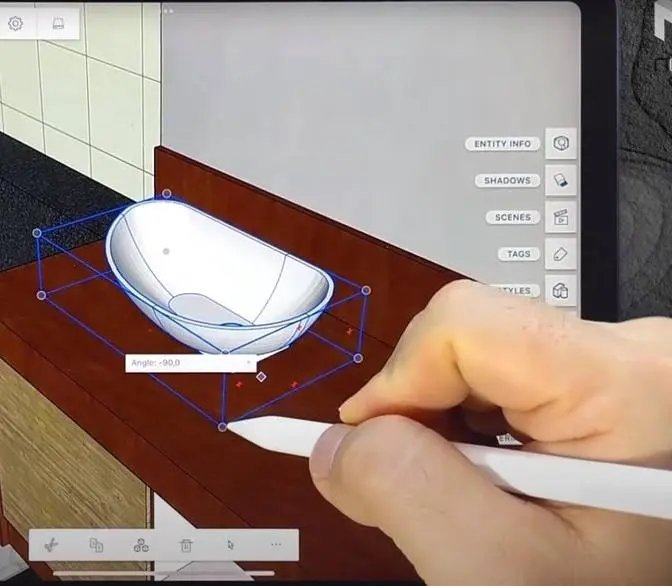
There's a few different sink models that you can bring in as well.
These seem to be cut face components, so you have to mess around a little bit with your
counter to get them to mount properly because cut face components will only cut through
a single face.
There's also a series of materials that you can download and sample with the materials
tool.
Then you can apply them to your cabinets.
There's collections for wood materials, countertop materials, and also flooring materials.
These can definitely be helpful when texturing your model, especially if you don't want to
use the base SketchUp textures.
There's a few different pull options that you can swap out on your cabinets as well.
You can either swap out all the pulls in your model at once, or you can adjust them individually,
allowing you some customization on your different cabinets.
There's also a dynamic wall tile component, allowing you to place wall tile within your
model.
Overall, this extension contains several functions that are very useful when working with kitchen
design.
Not having to go in and model your cabinets individually can be very helpful, as that
can be one of the more time-consuming things that you're going to do in SketchUp.
That's where I'm going to end today's video.
Leave a comment below.
Let me know what you thought.
Is this an extension that you're interested in?
What does your kitchen design workflow look like?
I just love having that SketchUp conversation with you guys.
If you liked this video, please remember to click that Like button down below.
If you're new around here, remember to click that Subscribe button for new SketchUp content
every week.
If you like what I'm doing on this channel, please consider supporting me on Patreon.
Every little bit helps, even if it's only a dollar a month, so make sure you check out
that link in the notes down below.
In any case, thank you so much for taking the time to watch this.
I really appreciate it, and I will catch you in the next video.
Thanks, guys.