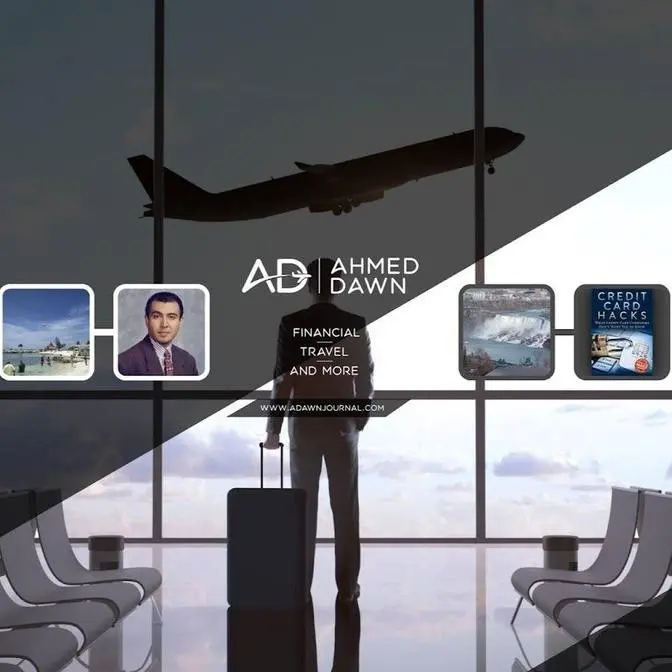
Create a Stunning YouTube Banner for Free Using Canva – Step-by-Step Guide! | Free YouTube Banner Design: Step-by-Step Canva Tutorial (Perfect Size)
** Travel Hack: How to Access Internet Only For A Few Hours ( No eSIM) https://youtu.be/tKeOcefNbZ4 **
TLearn how to create a professional-grade YouTube banner for free using Canva! This step-by-step tutorial will guide you through the process, from creating your Canva account to designing a banner that looks great on all devices (mobile, desktop, and TV). I'll show you how to choose a template, customize it with your own images and text, and most importantly, how to get the correct dimensions to avoid cut-off issues on mobile. Get ready to give your YouTube channel a makeover with a stunning banner!
This video doesn't contain any affiliate links, sponsorships, subscriptions, Patreon, or attempts to profit from you.
👉 What You’ll Learn:
How to set up a free Canva account
Choosing the right YouTube banner template
Customizing your banner for all devices (desktop, mobile, TV)
Exporting and uploading your banner to YouTube
💡 Pro Tip: Always use the correct dimensions (1546x423 pixels) to ensure your banner looks perfect on every device!
📥 Download Your Banner: Follow along and create your own banner today!
But if you wish:
Buy me a coffee via PayPal: https://paypal.me/AhmedDawn
Or, support me with a Super Thanks on YouTube right under the video.
Timestamps:
0:00 - Intro: Why You Need a Professional YouTube Banner
0:15 - Setting Up Your Free Canva Account
1:00 - Finding YouTube Banner Templates
2:00 - Understanding Banner Display on Different Devices
3:00 - Setting Correct Dimensions (1546x423) for Mobile View
5:40 - Customizing the Template (Images, Text, Elements)
8:30 - Exporting & Uploading Your Banner to YouTube
11:00 - Viewing Your Banner on Different Devices
11:40 - Additional Canva Tips
Do not click this link: http://b.link/donotclick
Ahmed Dawn’s insights. You may want to Watch :
Internet & Technology | Tips, Tricks, & the Basics
https://www.youtube.com/playlist?list=PLTA92rkznIINacP3OFoV0Lww9DmjB5GAe
#YouTubeBanner #Canva #YouTubeDesign #FreeDesign #Tutorial
hello everyone this is Amed done today
I'm going to show you how to create a
professional grade YouTube Banner for
free on canva so you're going to need a
few things before you start and uh I
have uh written down here so the first
thing you need to create a free Cana
account if you do not have an account
you can just uh create a free can of
account using your email uh so that's a
very simple process and when you go to
canva uh if you try to log in it's just
going to give you that option that if
you don't have an account yet just
create create an account or just enter
your email to create an account so using
an email is much easier because you
don't have to go through all the process
of entering password user ID and all the
information so that's how you can create
an account so once you have a canva
account so you if you would go to
google.com and here you're going to
search for canva YouTube Banner so let's
enter canva YouTube banner and enter
and you're going to click on this link
which is going to take you directly to
the bannner page if you go to canva.com
then it's kind of difficult to find the
banner section for YouTube because
there's so many different things at
canva but this way you'll directly go to
the banner section on canva which is
much easier than looking here and there
now I'm going to show you one Banner
which is called uh minimal YouTube
travel bannner uh which which is easier
to show that's why I'm going to show you
this one so this is going to be uh let
me just take a look here right here I'm
going to choose so let's click on it
and it's going to give you this page
which is this banner and you can see
here that this is 100% customizable so
what it means that you could change
everything so let's customize this
template and then it's going to bring
you here now let's say if you just this
is your YouTube Banner so if you just
you know um enter or if you just like
you know export this whole Banner
without changing anything this is how
it's going to look like when you put it
on your YouTube Banner so you can see
that this is how it looks like and let
me just go back to the original one so
you can see that the whole thing got cut
off and here this is not bad if you're
watching watching this on desktop but if
you're watching this on phone it's going
to get distorted uh it's going to like
you know cut off lots of things from
here and it's going to look ugly so for
example I'm just going to show you a
quick example here is we have a banner
YouTube Banner for the channel walking
lady and here you can see that this is
how it looks like on desktop but if you
look on mobile device
this this is how it looks like so you
can see that only this part right here
which is right here is visible on mobile
so only this part and the rest is not
visible on mobile so you have to that's
why you have to make sure that you have
the right aspect ratio and that's what
we are doing today okay so now let's go
back to your banner so now here you can
see that this section right here this is
going to be your main point of Interest
what it means that this is going to be
appearing on your mobile device and this
is what you need to fix by giving the
correct ratio so I'm just going to click
here so when you click here you're going
to see on the upper right corner there's
a tab or button position so click on
position and here you're going to see a
few options now if you just change
it little bit before then
you're are going to have like you know
easy doing this later so I'll just like
you know kind
of minimize this little bit and still we
have position okay here if you take a
look under position on the left and
align to page and underneath it you're
going to see Advanced and here you can
see withd and height this is where
you're going to change this to 1546 by
423 so let's change this to
1546 you can see that this is changing
and you're changing this to
423 okay now this is the part which
you're going to be seeing on your mobile
device only this part not not the whole
thing however this is not
centered
so what you're going to do you'll click
here
middle and you click here Center so now
you have this section in the middle and
center and this is what is going to be
your mobile YouTube Banner just like
this right here the whole part like this
one and it's not going to look
like this one like here on desktop is
going to show up like you know this one
here and you can see a little bit of
background here but this is the main
point of Interest so now what you can do
you can change everything here like in
all these elements they can changeable
so you can just like you know putting
your own picture in the background in
order to do that you just click on here
and you delete and you can see that
picture is gone if you want to get it
back click here again so now let's say
delete and if you want to put your own
picture then you have to just drag and
drop your own picture from your desktop
so this is just to show you so for
example I'm just going to quickly drag a
picture from here and if I put in here
and you can see that this picture is
here right now and you have to just like
you know put it in the background and
you can just like you know uh right
click and choose replace background or
you can just like you know cut
this and paste it on top of it like you
know cut and paste and then see that
it's going to come up before so I'm just
going to get rid of my picture because
that's not what I'm showing today I just
wanted to give you an example so here we
have that and let's keep going back and
we'll get back to the original picture
okay so here we have so now I'm just
going to get R of subscribe section
right here
delete and let's say we can just change
name
to amadon or anything you want and I'll
just keep this for now and this picture
even you can change it or you can add
your own picture the same way so you can
just like you know put it a little bit
here uh this one you can delete it or
you can like you know make it smaller
and remember only this part is going to
be on your mobile device so in order to
show you an example let me just make it
very tiny so you can see what I mean
okay
and let's click this one delete this one
and I'm just going to bring this down
little
bit and bring down I'm done little
bit bring
[Music]
down little little bit okay this one is
kind of giving me trouble because it's
too small okay so now we have this here
and let me just get this back here and
make sure that everything's okay so
middle Center 1546 423 which I wrot it
down um right here so you can later on
reference this one okay so now if I
export this then you're going to see
that how the new template or new Banner
is going to look like so in order to do
that I'm just going to click here on the
upper right corner and then go
to uh let's say view your channel so you
can click
here and customize Channel actually
let's copy this page uh I think we
better go to a different page so I can
show you how we change uh I'm going to
just come
here and customize
Channel and then
here you can see click on the change
banner and we have to actually export
our Banner which I forgot to
do so let me just export the banner in
order to do that you're going to click
on the upper right where uh says share
and from here you're going to click on
download and download
again and you're going to have to give
it a name or if you have a name here
this is just going to copy the name and
you can see that it downloaded and put
it on desktop so now we already exported
it let's go back to the channel and
change and I'm just going to find this
from my desktop it should be somewhere
here okay so this is this one right here
see if I click
open now here you can see that it's
actually telling you where is going to
be what and clearly you can see that it
tells you here the viewable on all
devices which I showed you and
where you're going to have to put in uh
1546 by 423 for this section only and
this is going to be for your mobile
device and this part right here right
here is going to be viewable on desktop
which we can see in a short second and
even on desktop you're not going to be
able to see this part and this part this
is only on TV so this kind of gives you
overview so if you just click
done now
publish and you are done and here
go to
channel okay so now you can see the
difference
here it looks like a little bit smaller
than the original size which I had it
right here I made it
shorter however if you keep the original
version this is going to be cut off on
your mobile device but this version
because we fixed it and this part right
here kind of the darker shadow this is
going to be on your mobile phone and
nothing is going to cut off uh going to
be cut off and that's here that's how
you're going to have a professional
level grade uh YouTube Banner for free
uh just to mention something is that you
can like you know delete these these
everything you can copy and paste many
many things there like you know elements
here there are text here you can change
basically everything because it says
100% customizable which I show you in
the beginning right here 100% so you can
change everything and you don't have to
pick this like you know a banner you can
choose anything and the idea is the same
but I chose this one because this is
easier to show so that's how you can
create a beautiful YouTube Banner which
is a professional grade for free thank
you for watching and I'll see you in the
next video
[Music]
h