
7 Travel Tech Accessories You Need On Your Next Trip
1 Video View·Jul 12, 2023
Technology comes everywhere with us,
from the living room to a trip across the globe.
In this video, we'll be taking a look
at some travel tech accessories
that have the power to take your next trip to a new level.
Hey, I'm Tom from Pack Hacker, your guide to smarter travel.
The best tech enhances your trip,
whether you're working on the road or lounging in an Airbnb.
These items will do just that.
Once you have your tech, grab an international SIM
or eSIM from Olafly to stay connected abroad.
Stay tuned for an exclusive discount code.
Let's dive in.
The Clutch Charger V2 is the thinnest battery bank
that we've tested to date.
In addition to its small size, it has a built-in cable,
so everything you need to charge your phone is in one place.
And it'll fit just about anywhere.
Slide it into your pants pocket
or stow it in your billfold wallet for safekeeping.
At only 2.3 ounces and four millimeters thick,
it's about the size of a credit card.
The battery is rated at 3,000 milliamp hours.
This gives a standard iPhone 13 over a 90% charge
and a Samsung Galaxy S22 just over 80%.
The capacity is excellent for topping up your phone battery
on an afternoon excursion in a new city.
However, it isn't a replacement for a larger battery bank
on multi-day adventures without access to power,
as it'll need frequent charging.
At the time of this video,
there are USB-C and lightning cable models available.
Pick the one that best suits your daily needs,
as you can't swap the cable after purchase.
There's also a wireless model,
though it's slightly thicker than its cabled siblings.
We think the size and weight savings
of the clutch are hard to beat.
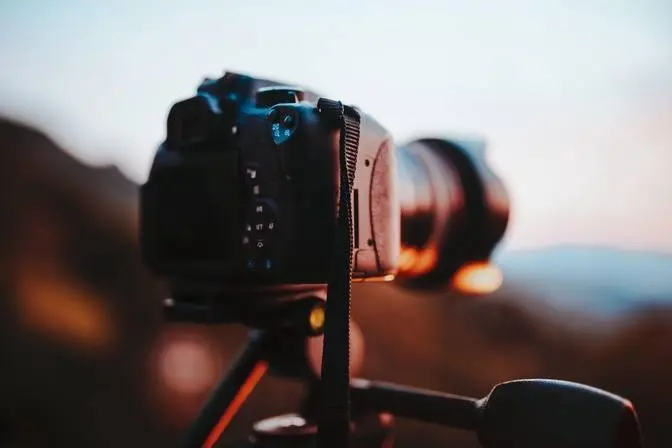
Whether you're an avid photographer
or casual picture taker,
this versatile accessory will help you
with more than capturing images.
The Joby GripTight 1 MicroStand is a mini tripod
with versatile use cases
that satisfy just about any adventure.
While en route to your destination,
use the phone grip to prop up your device.
Watch a movie, TV show,
or new Pack Hacker video on the airplane.
Or FaceTime with friends at the airport between flights
to keep them updated on your trip.
Once you arrive, this stand transforms
into whatever you need to get that perfect shot.
Use it as a mini phone tripod
for group photos and time-lapse videos.
Attach the phone grip onto a photography tripod
for even more epic selfies.
Or use the bottom half as a mini tripod
for your point-and-shoot or Instax camera.
However, non-centered tripod mounts can topple the stand,
so avoid this by ensuring the camera runs parallel
with one of the stand's legs.
At only 1.59 ounces, the Joby GripTight 1 MicroStand
is pretty much a no-brainer to bring anywhere.
It easily fits into your pocket or sling,
so you have it when you need it,
but it's not in the way when you don't.
Charging your devices can be tricky
when you're at a coffee shop or Airbnb
with limited charging ports available.
The Anker PowerPort Atom PD4 is a power bank
that remedies this issue by giving you space
to top up to four devices.
There are two USB-C and two USB-A ports.
This means you can power your laptop, phone, tablet,
and e-reader all at the same time.
Make the most of your time at the local coffee shop
or cafe without taking up all the plugs in sight.
Plus, one plug means one travel adapter.
Since you'll be using this 100-watt brick
to charge every device at once,
you won't need to bring multiple.
The included power cable is just under five feet long.
It's ideal for traveling
as it doesn't take up much space when rolled up.
It's also detachable, so it's easy to store in your tech kit
or swap out for a longer cable if necessary.
Another essential accessory
is the humble SIM card keeping you connected.
We love to share our experiences
with friends and family in real time.
When traveling internationally, it's easy with Olafly,
this video's sponsor.
They offer SIM cards and eSIMs for internet connectivity
in more than 100 nations,
plus regional options with just one eSIM.
You can top up your data plan
and only pay for what you need,
or go with an unlimited plan available in 45 destinations
across Europe, Asia, and the United States.
It'll save you from guessing how much data you need
before leaving home.
Their 4G service keeps you connected
no matter where you are in the world.
Post perfect content to social media
or use a map app to get directions to that hidden gem.
Then you won't pay to roam,
whether you're sipping espresso at a European cafe
or lying on a beach in the Caribbean.
Setting up the eSIM is easy.
Scan a QR code and configure it at home,
then simply activate when you reach your destination.
With 24-7 live chat in four languages at olafly.com
and WhatsApp, you'll enjoy hassle-free installation
and get right to your adventures.
Use code packhacker to save 5% at Olafly.
You'll be ready to country hop without data roaming
or relying on a hotspot.
Now let's get back to some great tech gear for your trip.
An external keyboard can make remote work easier,
but they can be awkward to travel with.
The Sungwoo Foldable Silicone Keyboard
rolls up to easily fit in small corners of your pack,
which is great for convenient storage during travel.
It's crafted from water-resistant and dust-proof silicone.
No need to worry about accidental spills at the coffee shop.
Plus, you can leave it at the bottom of your pack
without worrying about it collecting dust under the keys
like a standard keyboard.
If it needs a refresh,
simply wipe it down with a disinfectant wipe.
It's compatible with both Mac and PC.
Connect it to your device using the attached USB-A cable
or use a dongle to convert it to USB-C.
Despite its unique design,
it functions like your regular everyday keyboard.
It even has additional number keys on the right side,
something some full-size keyboards don't even have.
However, these soft keys don't have as much motion
or noise when you click them,
so typing may take some getting used to.
When you're on the go, being efficient isn't always easy.
The Rolling Square Edge Kit creates a more intuitive,
minimal carry with three accessories
that simplify working away from home.
The edge mount attaches to your laptop or tablet
using adhesive,
then magnetically holds your smartphone next to your screen.
It's compatible with both Android and Apple
and is great for meetings
as you can still stay engaged with a video call
while scrolling through emails.
Or use it as a second screen to monitor your daily tasks
or watch videos to keep you entertained
while you work on a report.
The other two accessories are a light and wireless charger.
Both connect to the mount using the same magnet system
and plug into your laptop using a USB-C cable.
The light snaps onto the edge and maxes out at 280 lumens,
which helps brighten up the room on important video calls.
Or swap it for the wireless charger
and keep your phone juiced up while you catch up on emails
so your battery isn't drained when you're done working.
After a few hours of work,
you can slide the mount back into place.
It's so thin that you'll hardly even notice it's there
until you need it next.
An ergonomic workstation is essential
to stay comfortable on long workdays while traveling,
though it can be hard to find.
The Roost V3 Laptop Stand brings your laptop
up to eye level to reduce strain
so your work doesn't take a toll on your trip.
Choose between seven different height options.
The stand is optimized for those between five foot three
and six foot, with higher numbers
indicating a taller setting.
Adjusting is easy, so if you move tables
or hit a growth spurt between your hotel
and the coworking space, slide to a higher or lower number.
No matter how high the stand is, your laptop is secure.
The horseshoe grips secure the edges of your laptop
and rotate to match your device's angle.
It also has feet to grip whatever surface the stand is on,
so you don't have to worry about anyone
bumping against your table.
When folded, the Roost V3 is small enough
to slide into the corner of your travel pack or day pack.
This is ideal for frequent work travelers,
though it's also great for those who want the option
but don't want to take up too much space
if they don't end up using it.
Taking a break to unwind and recharge
after a long day of exploring is essential
to prepare for your next adventure.
A Google Chromecast plugs into any HDMI port
and gives you the conveniences of home
to watch your favorite shows and movies.
Simply use the apps on your phone, tablet, or laptop
to cast directly to the TV.
Most media is compatible, from Netflix to YouTube.
Watch a Pack Hacker YouTube video
to keep up on travel hacks while on the move.
Or watch your local sports team
while you're across the globe to not miss a beat.
It uses both 2.4 and five gigahertz wireless frequencies.
This means you can connect to the internet
no matter where you are in the world,
as those are the most two common frequencies used.
Whether at a hotel, Airbnb,
or your distant relative's house,
you can catch up on your favorite entertainment.
Even with all Chromecast offers,
the device fits in the palm of your hand
and takes up little room in your tech pouch.
So there you have it,
some travel tech accessories for your next trip.
Let us know down in the comments
if you have a tech item you never leave home without.
Because remember, some of the best recommendations
come from you, the Pack Hacker community,
right here on YouTube.
And be sure to use the code Pack Hacker
to save 5% on Olafly, link down in the description below.
Thanks for keeping it here at Pack Hacker,
your guide to smarter travel,
and we'll see you in the next one.