


Learn how to legitimately get verified on Bumble with this step-by-step guide. Boost trust, matches, and safety with proven verification tips.
If you want more matches, better conversations, and instant trust on dating apps, Bumble verification is one of the most powerful tools you can use. A verified profile shows other users that you’re a real person—not a bot, scammer, or fake account—which dramatically improves engagement.
In this in-depth guide, you’ll learn how to legitimately get verified on Bumble, why verification matters, and exactly what to do if your verification fails. This article is written using SEO best practices and updated for current app behavior, so you can follow it step by step with confidence.
Whether you’re new to Bumble or trying to fix a failed verification, this guide has you covered.
What Does “Verified” Mean on Bumble?
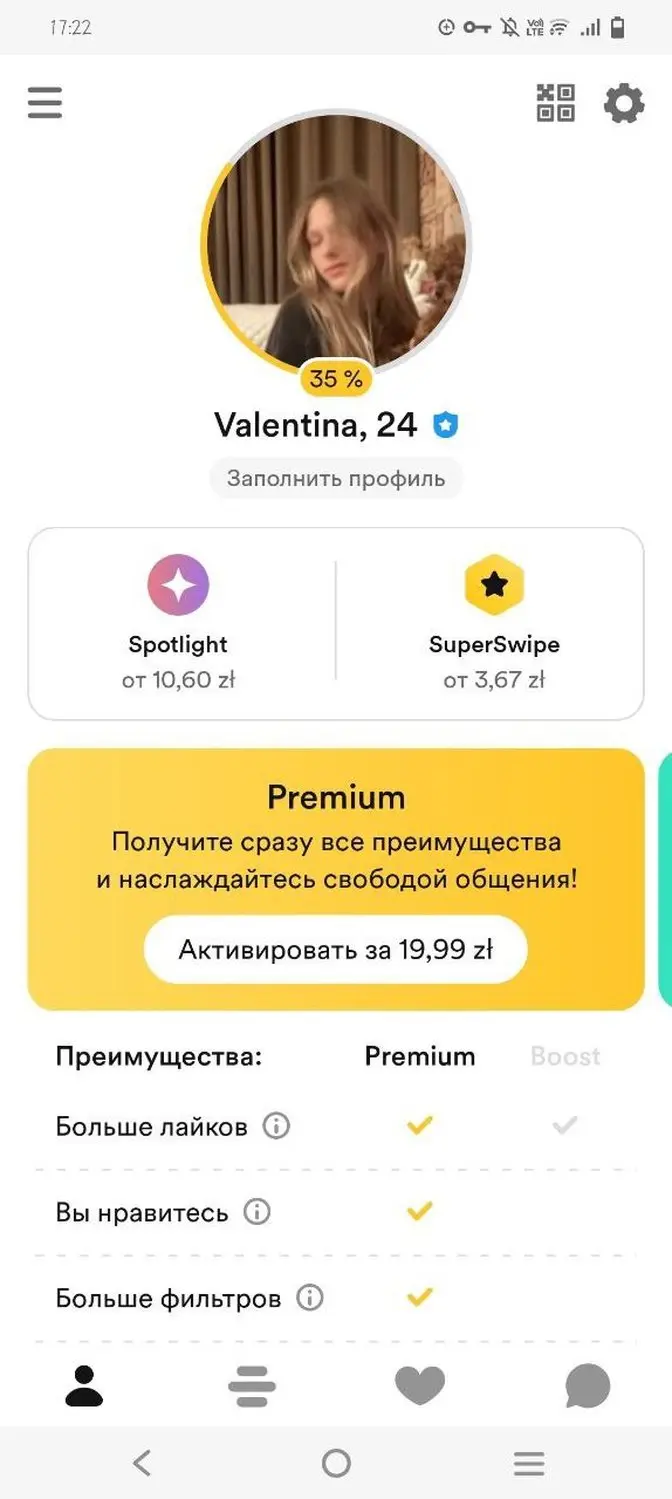
On Bumble, verification confirms that the person behind the profile matches the photos displayed. Once verified, your profile shows a blue verification badge, signaling authenticity and safety.
What Bumble Verification Confirms
- You are a real human
- Your photos accurately represent you
- Your account follows Bumble’s safety policies
Verified profiles receive more right swipes, more replies, and higher-quality matches.
Why Getting Verified on Bumble Is Important
Before we jump into the steps, let’s understand why verification matters so much.
Key Benefits of Bumble Verification
- ✅ Increased trust from potential matches
- ✅ Higher match rate and response rate
- ✅ Reduced chances of being reported or flagged
- ✅ Protection from fake-account suspicion
- ✅ Better visibility in Bumble’s ecosystem
In competitive dating markets, a verified badge can be the difference between being ignored and getting matched.
How to Legitimately Get Verified on Bumble (Step-by-Step)
Step 1: Open the Bumble App
Make sure you’re using the latest version of the Bumble app on Android or iOS. Verification features may not work properly on outdated versions.
Step 2: Go to Your Profile
- Tap your profile photo (top-left corner)
- Select “Verify Your Account”
Step 3: Start the Photo Verification Process
Bumble will prompt you to take a real-time selfie that matches a specific pose.
Common pose examples include:
- Raising your hand
- Tilting your head
- Making a specific facial expression
📌 Important: You must take the photo live—uploaded photos are not accepted.
Step 4: Ensure Proper Lighting & Clarity
To pass verification successfully:
- Use natural or bright indoor lighting
- Remove hats, sunglasses, and masks
- Keep your face fully visible
- Avoid filters or edited images
Clear visibility significantly improves approval chances.
Step 5: Submit and Wait for Approval
Once submitted:
- Verification usually takes a few minutes to several hours
- In rare cases, it may take up to 24 hours
After approval, your profile will display the verified badge automatically.
Common Reasons Bumble Verification Fails (And How to Fix Them)
1. Photos Don’t Match Your Profile
If your selfies look different from your profile photos, Bumble may reject verification.
Fix:
Upload recent, natural photos that clearly show your face before retrying.
2. Poor Lighting or Blurry Images
Dark or low-quality images confuse the verification system.
Fix:
Use daylight or a well-lit room and keep your camera steady.
3. Accessories Covering Your Face
Hats, sunglasses, or face coverings can cause failure.
Fix:
Remove all accessories during verification.
4. Camera or App Issues
Sometimes technical issues interrupt the process.
Fix:
- Restart the app
- Clear cache
- Update Bumble
- Retry on a stable internet connection
Tips to Get Verified on Bumble Faster (Expert Advice)
✔ Use Recent Profile Photos
Your verification selfie should closely resemble your uploaded photos.
✔ Avoid Heavy Makeup or Filters
Natural appearance improves algorithmic matching.
✔ Keep a Neutral Expression
Extreme expressions may cause mismatch errors.
✔ Don’t Rush the Pose
Take your time matching the exact pose shown.
Does Verification Increase Matches on Bumble?
Absolutely—yes.
Verified Profiles Typically Experience:
- 📈 Higher swipe-right rates
- 💬 More message replies
- 🔐 Stronger trust signals
- 🚫 Fewer fake-account suspicions
Many users report 20–40% higher engagement after getting verified.
Is Bumble Verification Safe?
Yes, Bumble verification is safe and secure.
- Photos are used only for verification
- They are not displayed publicly
- Bumble follows strict privacy and data protection practices
You remain in full control of your account at all times.
Can You Lose Your Verified Badge?
Yes—under certain conditions.
You May Lose Verification If:
- You significantly change your appearance
- Your profile photos no longer match you
- Your account violates Bumble’s community guidelines
If this happens, you can re-verify anytime.
Key Takeaways (Quick Summary)
- Bumble verification builds trust and boosts matches
- The process is quick, free, and secure
- Use good lighting, recent photos, and a clear face
- Avoid filters, accessories, or blurry images
- Verification helps you stand out in competitive dating pools
Frequently Asked Questions (FAQ)
1. How long does Bumble verification take?
Most verifications are approved within minutes to a few hours, though it can take up to 24 hours.
2. Is Bumble verification mandatory?
No, but verified profiles perform significantly better than unverified ones.
3. Can I verify my Bumble account more than once?
Yes. You can re-verify anytime if your verification expires or is removed.
4. Does Bumble verification cost money?
No. Bumble verification is completely free.
5. Can verification fail even if I’m real?
Yes—usually due to lighting, mismatched photos, or unclear selfies. Retrying fixes most issues.
Internal Linking Suggestions
- How to Create a High-Converting Bumble Profile
- Bumble Safety Tips for Online Dating
- Best Bumble Bio Examples That Get Matches
Final Thoughts
Learning how to legitimately get verified on Bumble is one of the smartest moves you can make if you’re serious about online dating. It takes just a few minutes, costs nothing, and can dramatically improve how others perceive and engage with your profile.
If you want more trust, more matches, and better conversations—get verified the right way.
Comments