

![Top 10 Best Voice-Over Software in 2024 [Free & Paid]](https://image2-us-west.cloudokyo.cloud/image/v1/5c/fa/4d/5cfa4da8-29b1-4e72-968f-b7c0359c28b9/1280.webp)
Top 10 Best Voice-Over Software in 2024 [Free & Paid]
Voice-over software is a type of audio editing tool that is used for recording, editing, and enhancing voice-over tracks for a variety of purposes, including podcasts, video content, and audiobooks. With the increasing popularity of digital media, voice-over software has become a crucial tool for content creators to ensure high-quality audio production that is essential for engaging and retaining their audience.
In the world of digital content creation, audio quality plays a crucial role in engaging and retaining an audience. Low-quality audio can be distracting, leading to poor engagement and ultimately, the loss of viewers or listeners. By using high-quality voice-over software, content creators can enhance their audio quality, making it more enjoyable for their audience.
The rest of the blog post will provide an overview of the top 10 best voice-over software options in 2023, divided into three categories: free voice-over software, paid voice-over software, and voice-over software for beginners. For each software option, we will provide an overview, pros and cons, and a list of features. Finally, we will recap the list and offer some considerations for choosing the right software for your needs.
Best Free Voice-Over Software
There are a number of free voice-over software options available, each with its own set of features and benefits. Here are three of the best free voice-over software programs in 2023:
Audacity
Audacity is a popular open-source audio recording and editing program that can be used for a variety of tasks, including recording and editing voice-overs. It's a great option for those on a budget, as it's completely free to use and offers a wide range of features.

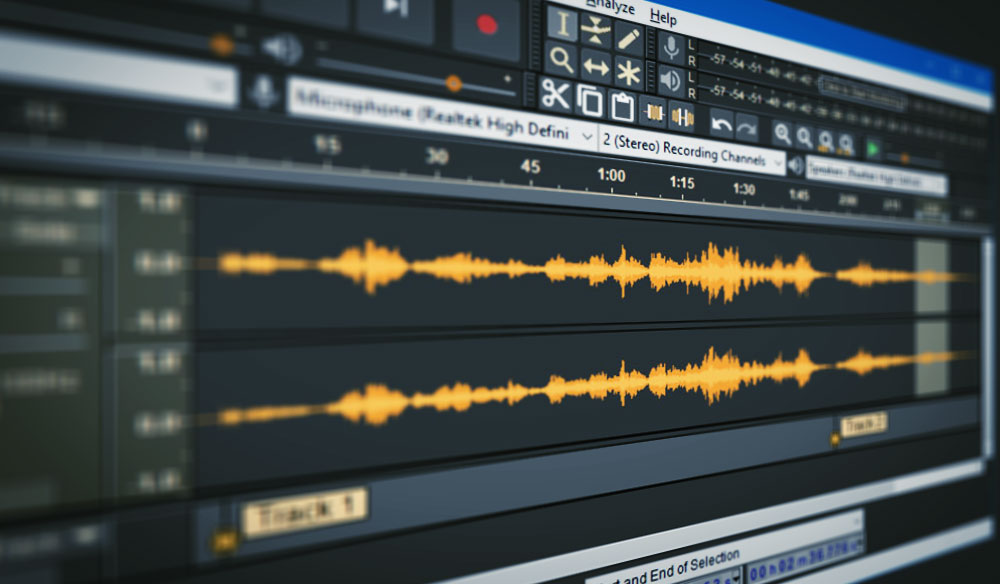
Features:
- Supports multi-track recording and editing
- Includes a range of effects and plugins for enhancing audio quality
- Can export to a variety of file formats, including MP3, WAV, and AIFF
- Supports recording from a variety of sources, including microphones and line-in devices
Pros:
- Completely free to use with no hidden fees or costs
- Simple and user-friendly interface
- Supports a wide range of audio file formats
- Includes a number of powerful editing tools, such as noise reduction, equalization, and compression
Cons:
- Not as intuitive as some other voice-over software options
- Lacks some advanced features found in paid software, such as pitch correction and advanced effects
- Can be resource-intensive, requiring a powerful computer to run smoothly
Overall, Audacity is a great free option for those looking to record and edit high-quality voice-overs without breaking the bank. While it may not have all the bells and whistles of some paid options, it's a reliable and powerful program that can get the job done.
WavePad
WavePad is a free audio editing software designed for professional audio and music production. It is compatible with both Windows and Mac operating systems and supports a wide range of audio file formats. WavePad offers a user-friendly interface, making it an excellent choice for beginners and experts alike.

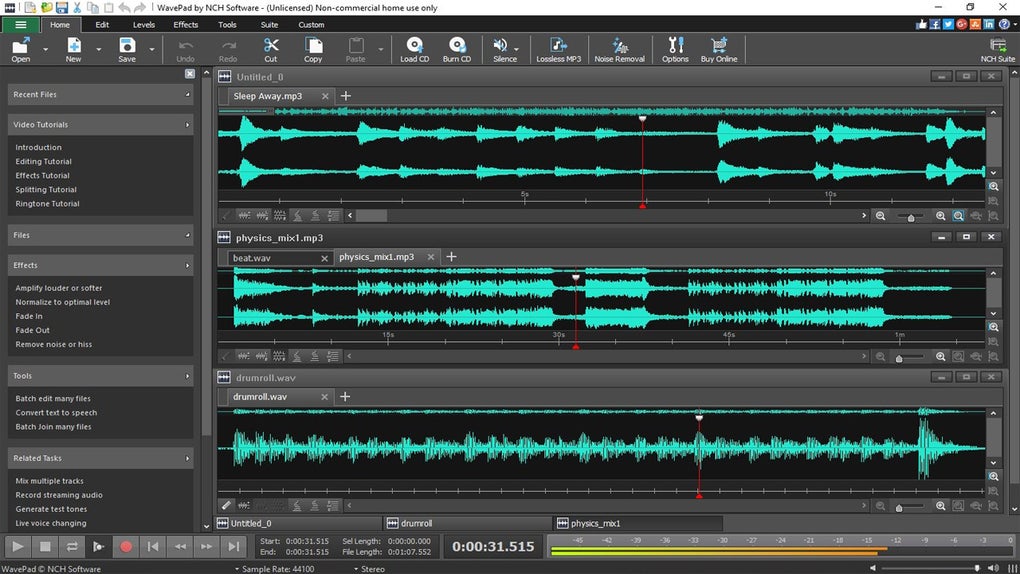
Features:
WavePad includes a range of features for editing and enhancing audio, including:
- Noise reduction: reduces background noise and improves clarity.
- Amplification: boosts the volume of the audio.
- Reverb: adds a sense of space to the audio.
- Equalizer: allows you to adjust the balance of different frequencies in the audio.
- Compression: this evens out the volume of the audio, making it more consistent.
- Pitch correction: this allows you to adjust the pitch of the audio.
- Batch processing: allows you to process multiple audio files at once.
Pros:
- WavePad is easy to use, even for beginners.
- It supports a wide range of audio file formats.
- It offers a wide range of effects, including noise reduction, amplification, and reverb.
Cons:
- The free version of WavePad has limited functionality compared to the paid version.
- The interface can be cluttered and difficult to navigate.
- The software may be less stable than some of the paid options, leading to crashes or other technical issues.
Ocenaudio
Ocenaudio is a free, cross-platform audio editing and recording software that offers a wide range of features for voice-over work. It is available for Windows, Mac, and Linux. It offers a clean and user-friendly interface. Ocenaudio supports multiple file formats, including WAV, MP3, and AIFF.

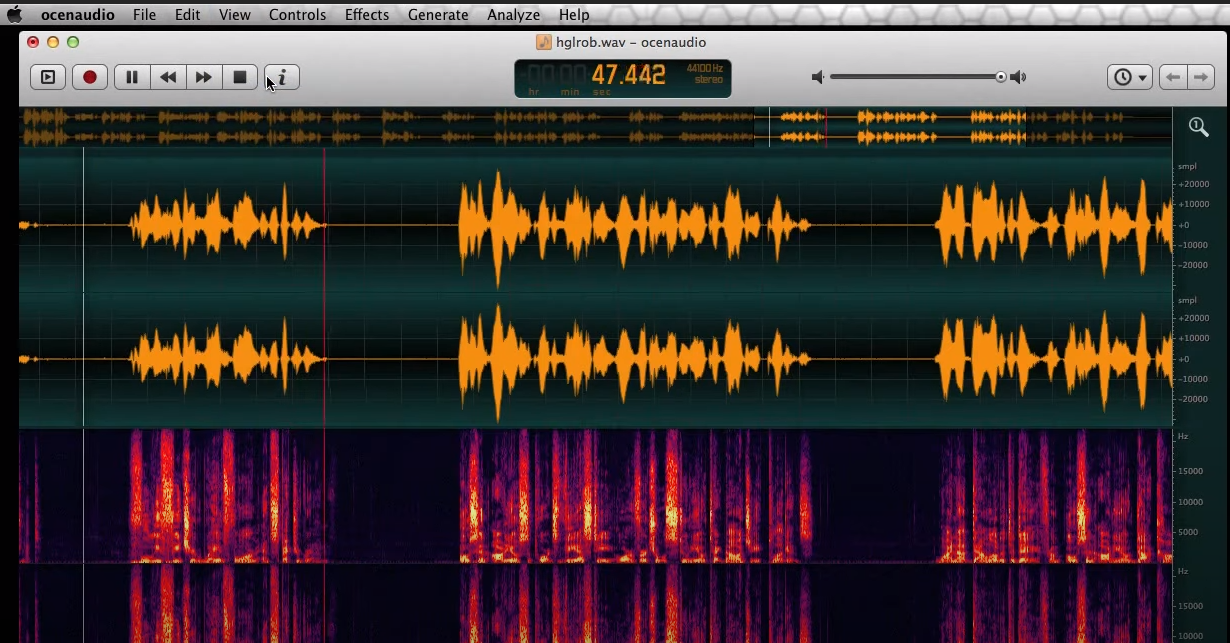
Features:
- Supports multi-channel audio editing
- Offers a range of built-in effects and plugins, including noise reduction, EQ, and compression
- Allows users to record audio directly into the software
- Offers batch processing for applying effects to multiple files at once
- Supports VST plugins for even more customization options
Pros:
- Offers real-time preview of effects and edits
- Has a built-in spectrogram view for visualizing sound frequencies
- Allows users to work with multiple files at once
Cons:
- Doesn't have as many advanced features as some of the paid options on this list
- Some users have reported bugs and crashes
Ocenaudio is a solid free option for voice-over work, particularly for those just starting out who only need some of the bells and whistles of more advanced software. Its real-time preview and spectrogram view make it particularly useful for fine-tuning audio recordings.
Paid Voice-Over Software
Here are our top picks for paid voice-over software for professionals:
Adobe Audition
When it comes to professional voice-over software, Adobe Audition is one of the most popular and widely used options. This powerful audio editing software is packed with advanced features and tools that can help users achieve high-quality audio recordings and productions.


Adobe Audition is a comprehensive digital audio workstation that is designed for profssional audio editing, mixing and mastering. It features a clean and intuitive user interface that allows users to easily navigate and access its various features and tools. The software is available as part of Adobe's Creative Cloud subscription service, which provides access to all of Adobe's other creative tools and services.
Features:
Adobe Audition offers a wide range of features and tools that can help users achieve professional-level audio recordings and productions. Some of its key features include:
- Multitrack recording and mixing capabilities
- Advanced spectral editing and analysis tools
- Comprehensive audio restoration tools for removing noise, clicks, and pops
- Wide range of audio file format support, including 32-bit/192 kHz audio
- Integrated support for third-party plugins and virtual instruments
- Automatic speech alignment for dialogue editing
- Automatic loudness correction and normalization
- Batch processing for editing multiple files at once
Pros:
- Advanced audio editing and processing tools
- Multitrack recording and mixing capabilities
- Seamless integration with other Adobe Creative Cloud apps
- Wide range of audio file format support
- Comprehensive audio restoration tools
Cons:
- Subscription-based pricing may not be ideal for some users
- Has a steep learning curve for beginners
- Some features may be overwhelming for casual users
Adobe Audition is a powerful and feature-rich voice-over software that is ideal for professional audio producers, podcasters, and content creators. While its subscription-based pricing may not be ideal for everyone, its advanced features and tools make it a top choice for those who demand the best in audio editing and production.
Pro Tools
Pro Tools is a popular digital audio workstation used by professionals in the music and film industry for music production, sound design, and post-production. It is a paid software that offers advanced features for recording, editing, and mixing audio, making it an ideal choice for high-end voice-over projects.
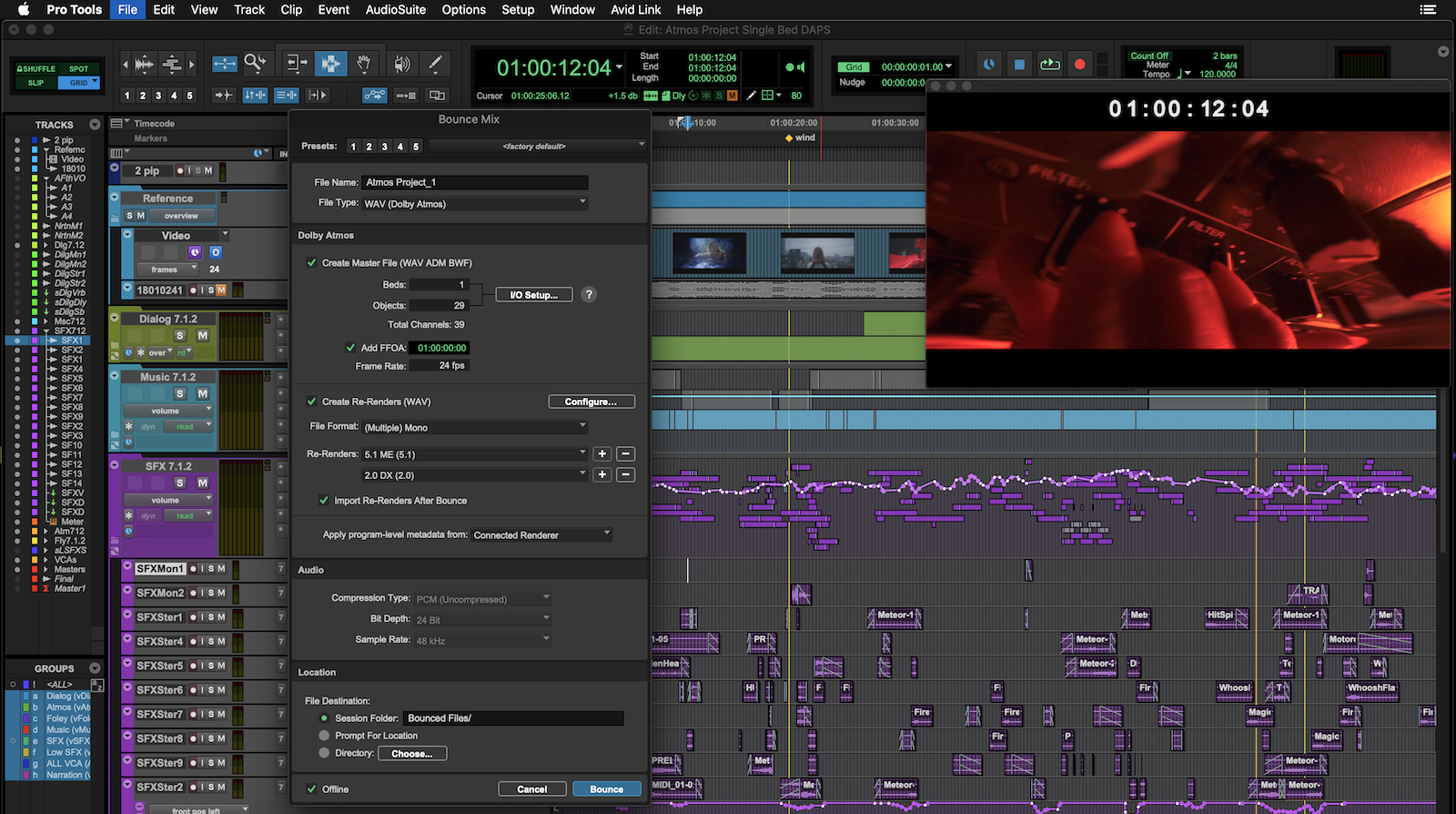

Pro Tools is developed and owned by Avid Technology, and it is available for both macOS and Windows operating systems. It is a complex software that requires some training and experience to use, but its capabilities make it worth the investment for professional voice-over artists and sound engineers.
Features:
Pro Tools offers a wide range of features for voice-over artists, including:
- Multitrack recording and editing
- Non-destructive audio editing and processing
- Support for up to 32-bit/192 kHz audio resolution
- Timecode-based synchronization for audio and video
- Advanced automation and mixing tools
- A variety of audio effects and plugins
- Cloud collaboration and remote access features
Pros:
- Advanced editing and mixing tools
- High-quality audio processing capabilities
- Compatible with a wide range of plugins and virtual instruments
- Supports AAX, RTAS, and AudioSuite plugins
- Offers cloud collaboration and remote access features
Cons:
- Expensive, especially for the full version
- Steep learning curve
- Some users have reported stability issues and crashes
Pro Tools is a powerful tool for professional voice-over work, but it may be too complex and expensive for beginners or hobbyists. It is best suited for experienced audio professionals who require advanced editing and mixing capabilities.
Logic Pro X
Logic Pro X is a digital audio workstation (DAW) software developed by Apple Inc. It is a professional-level software that is designed for music production, but it also includes robust tools for recording, editing, and mixing voice-over audio. It is available only on Mac and is a popular choice for voice-over artists and podcasters due to its ease of use, high-quality sound processing, and wide range of advanced features.
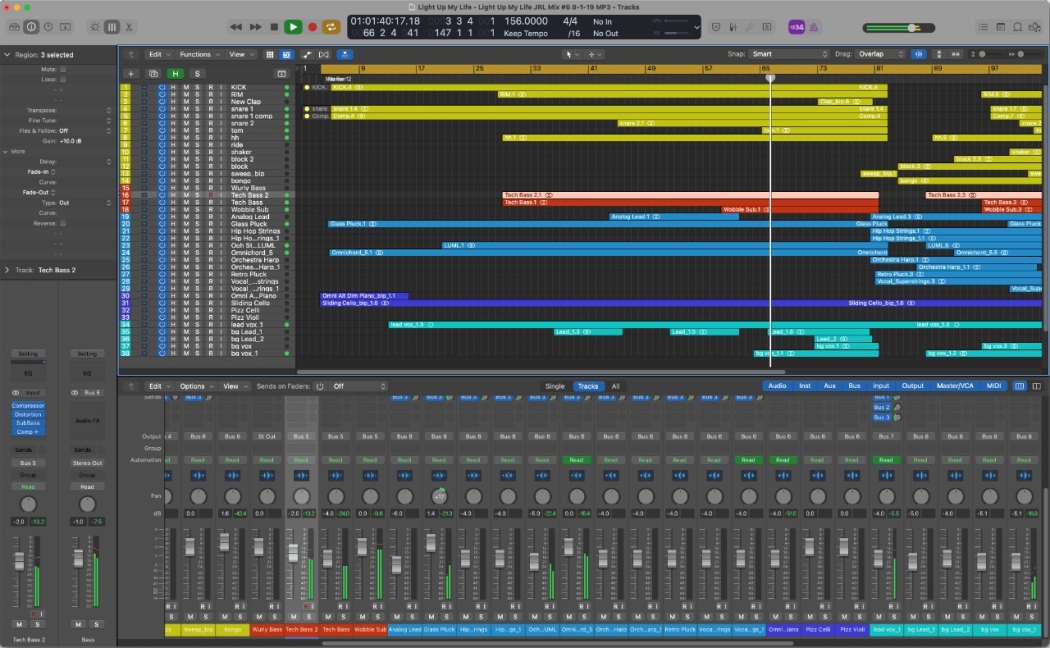
Features:
- Multi-track recording and editing with advanced tools for manipulating individual tracks and groups of tracks
- Advanced mixing tools, including built-in equalizers, compressors, and other effects for sound design and enhancement
- Pitch and timing correction tools for precise editing of voice-over tracks
- Built-in MIDI sequencing and score editing tools for adding music or sound effects to voice-over tracks
- Automatic beat detection and tempo matching for easy synchronization of voice-over and music tracks
- Integration with other Apple software and devices, including GarageBand and Final Cut Pro X
Pros:
- Intuitive user interface and customizable workspace
- A comprehensive collection of audio processing and editing tools
- Built-in plugins and effects for sound design and enhancement
- Compatibility with a wide range of audio formats and plugins
- Easy integration with other Apple software and devices
- Affordable price for a professional-grade software
Cons:
- Limited to the Mac operating system
- A steep learning curve for beginners
- Some advanced features may require external plugins or hardware
- Large file sizes can slow down processing and require high system specs
Logic Pro X is a professional-grade voice-over software that offers a wide range of advanced features for recording, editing, and mixing high-quality audio. While it may have a steep learning curve for beginners, it is a popular choice among experienced voice-over artists and podcasters due to its robust toolset, intuitive user interface, and affordable price.
Cubase
Cubase is a comprehensive digital audio workstation (DAW) software designed for professional audio production. Developed by Steinberg, Cubase is known for its advanced features, including high-quality audio recording and editing, MIDI sequencing, mixing, and mastering tools. Cubase offers a variety of options for music production and post-production, making it a popular choice for music producers, sound designers, and filmmakers.
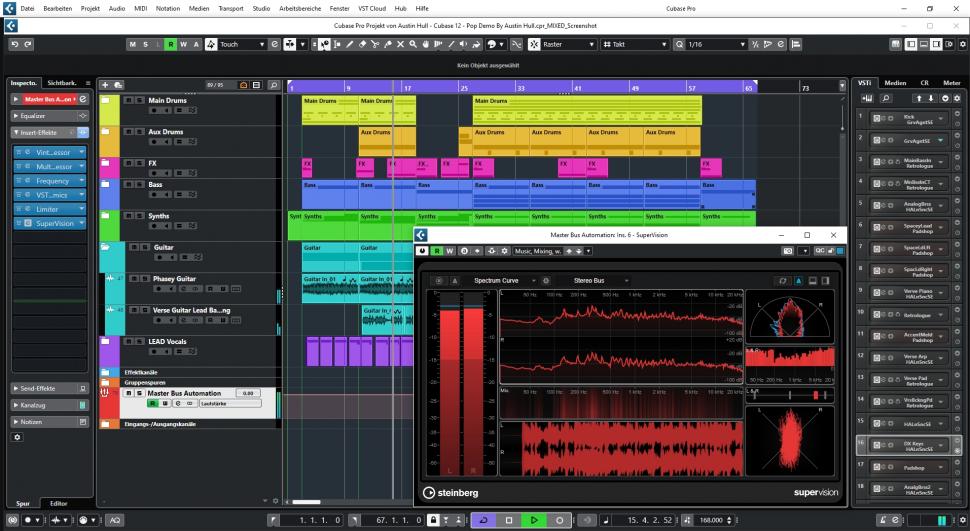
Features:
Cubase offers a wide range of features for audio production, including:
- High-quality audio recording and editing tools
- MIDI sequencing and editing features
- Virtual instruments and effects with VST plugin support
- Advanced audio processing and mixing tools
- Score editing for music notation
- Compatibility with a variety of audio file formats
- Remote recording capabilities
- Collaboration features for working with other audio professionals
Pros:
- Advanced audio editing features, including pitch correction and audio quantization
- Comprehensive MIDI editing tools for creating and editing virtual instruments
- VST (Virtual Studio Technology) plugin support for adding effects and instruments
- Cross-platform compatibility with both Windows and Mac
- Intuitive user interface with customizable features
- Regular updates and improvements
Cons:
- High price point compared to some other voice-over software options
- Can be complex for beginners to learn and use
- Requires a powerful computer to run smoothly
Cubase is top-of-the-line voice-over software for professional audio production. While it may have a higher price point and a steeper learning curve compared to some other options, the advanced features and capabilities make it a worthwhile investment for serious audio professionals.
Reaper
Reaper is a digital audio workstation (DAW) designed for recording, editing, mixing, and mastering audio. It is a powerful, flexible, and customizable software that offers a wide range of features and tools for voice-over production. Reaper is available for both Windows and macOS, and it has a 60-day evaluation period that allows users to test the software before buying it.