

![Can Outlook Mac Export to MBOX? - Comprehensive Guide [2025]](https://image5-us-west.cloudokyo.cloud/image/v1/80/0b/4a/800b4a65-6d5f-4622-9d11-6d189332fca3/1280.webp)
If you are currently operating Outlook Mac and constantly contemplating “can Outlook Mac export to MBOX”, then there is no need for concern. Just focus on the segment and you will uncover a remarkable solution that enables you exporting Outlook Mac files and folders to MBOX with accurate emails and attachments.
Microsoft Outlook for Mac is a popular desktop-supported email application that helps users sending/receiving emails on the system. It stores the entire database in OLM file. The email client is similar to Windows Outlook; the only difference is the files exported from them. Sometimes, users need to migrate from Outlook Mac to Apple Mail for many reasons. Thereby, numerous professionals keep searching for can Outlook Mac export to MBOX.
However, Outlook for Mac and Apple Mail are completely two different email clients, therefore it is impossible to export Outlook Mac folders into MBOX. One needs to convert OLM to MBOX to access Outlook for Mac mailboxes into Apple Mail.
Can Outlook Mac Export to MBOX? – [SOLVED]
The easy and effective process to export Outlook Mac folders to MBOX is MacMister OLM Converter for Mac & Windows. The tool is equipped with dual options such as Add File(s)/Add Folder with the help of users can add few OLM files on the tool for conversion or the entire folder for batch conversion at once. Its interface is also user-friendly which eases the conversion process for technical and novice users. Besides, the three-step process of the application will save users time and energy.
Moreover, the software offers many advanced features with the help of users can export Outlook Mac files to MBOX according to their requirements. Additionally, the free demo version of the tool will help users exploring the conversion process in detail for free.
The entire process is divided into two steps –
Export Outlook Mac Files into OLM
Convert OLM to MBOX using automated solution
Method 1. Export Outlook Mac Files into OLM
Run Outlook for Mac.
Click Tools and select Export.
Pick Export to Archive file (.olm) option.
Choose the desired items to export.
Press Continue.
In the Save Archive file box, choose the required location to save OLM file.
Press Save button.
Click Finish.
Method 2. Convert OLM to MBOX using Mac OLM Converter
Step 1. Download, install, and open MacMister OLM Converter Tool on Mac.
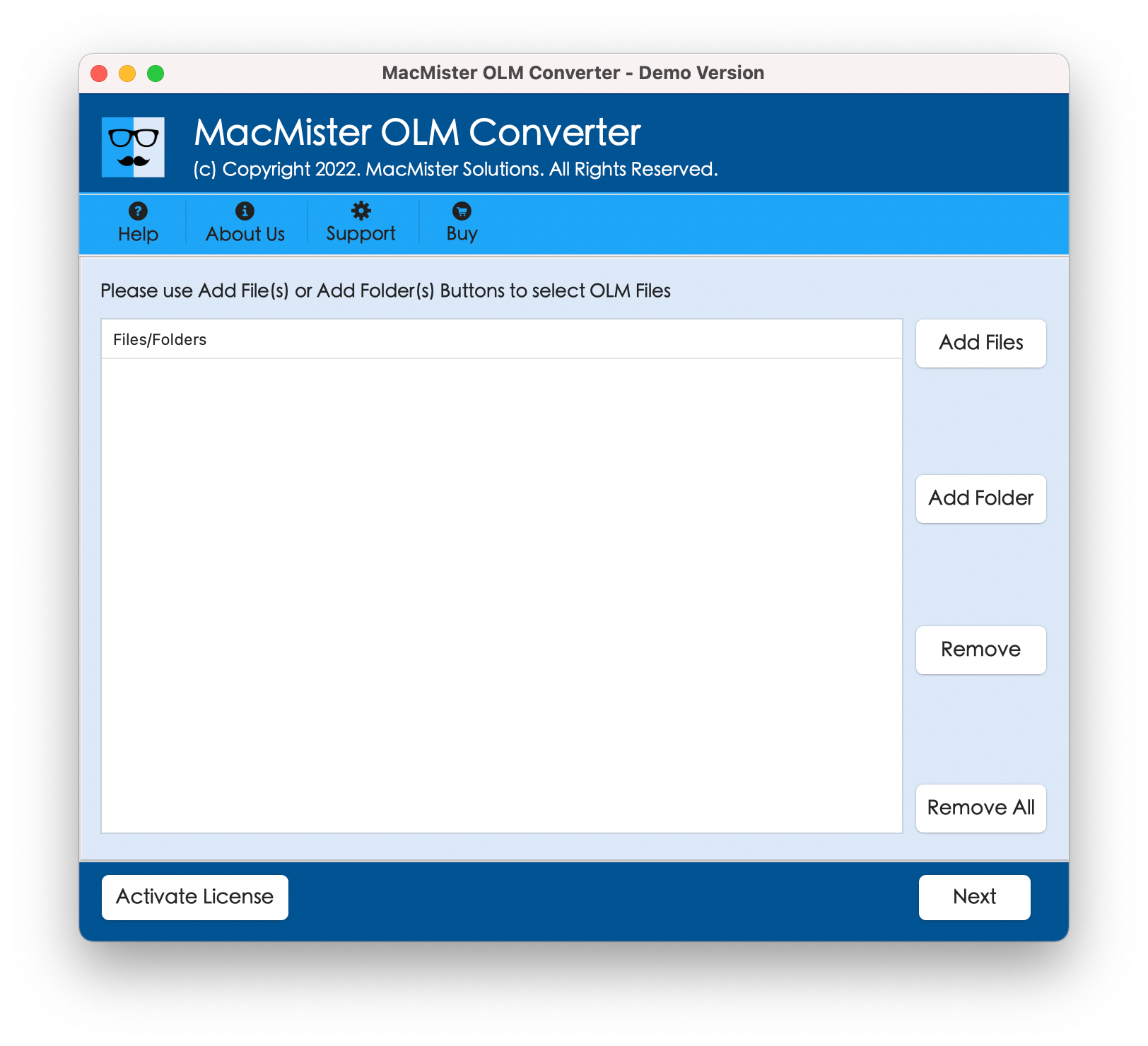
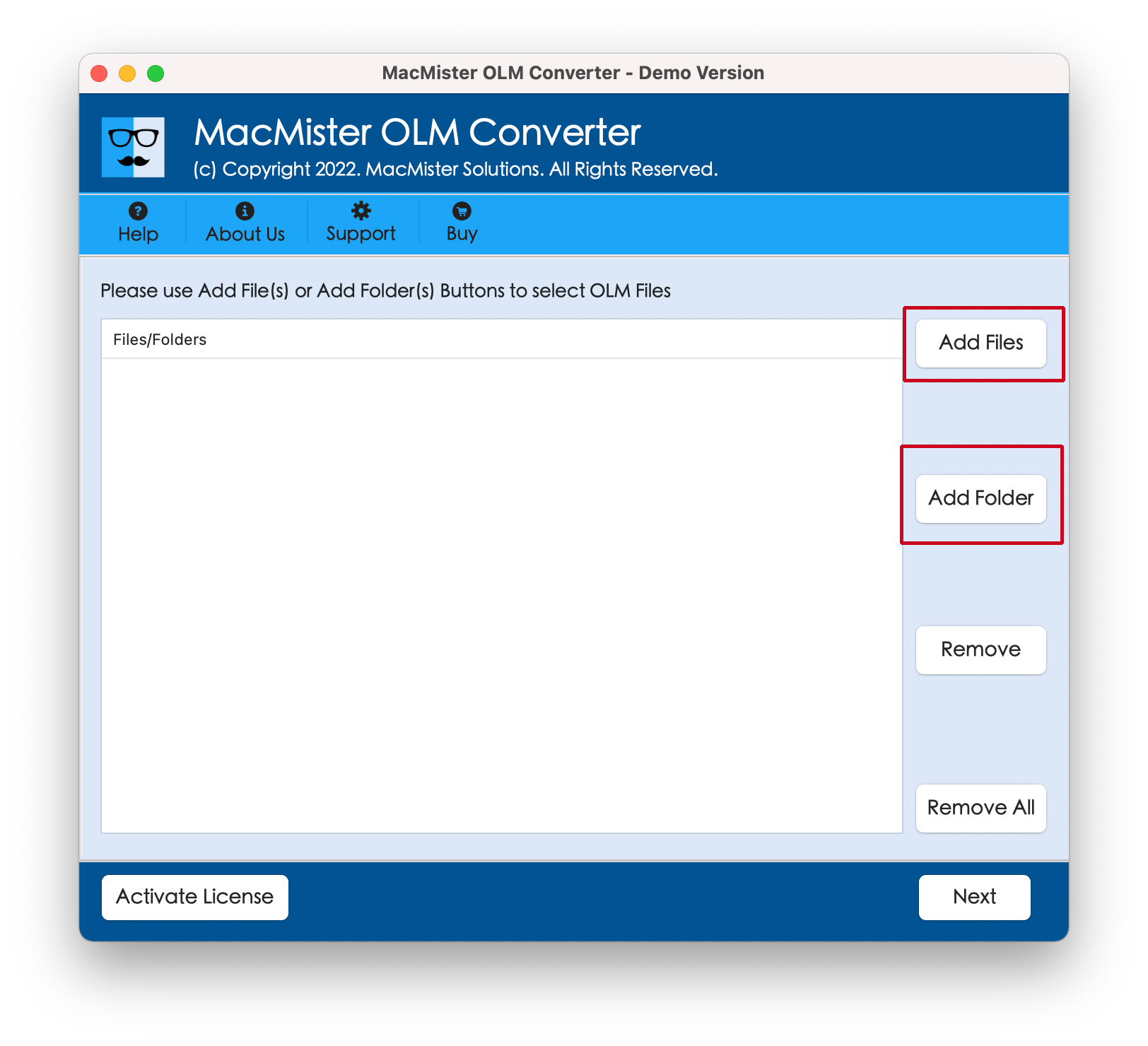
Step 2. Make use of dual options such as Add File(s)/Add Folder with the help of users can add their necessary .olm files/folder on the tool. Click Next.
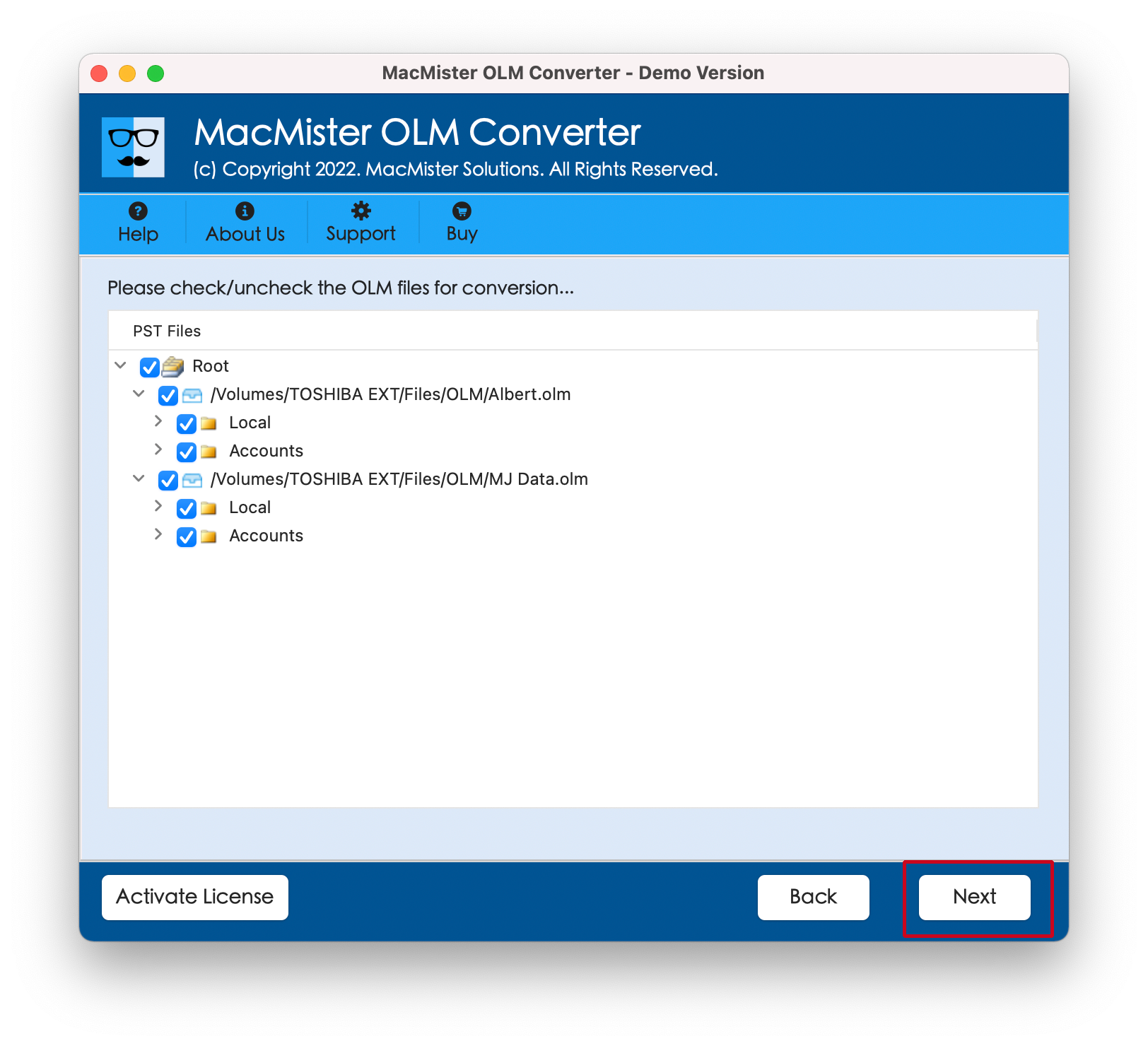
Step 3. The software will show the list of OLM files on its panel. Make sure to verify them and click Continue.
Step 4. Go to Select Saving Options to choose MBOX format from the drop-down menu.
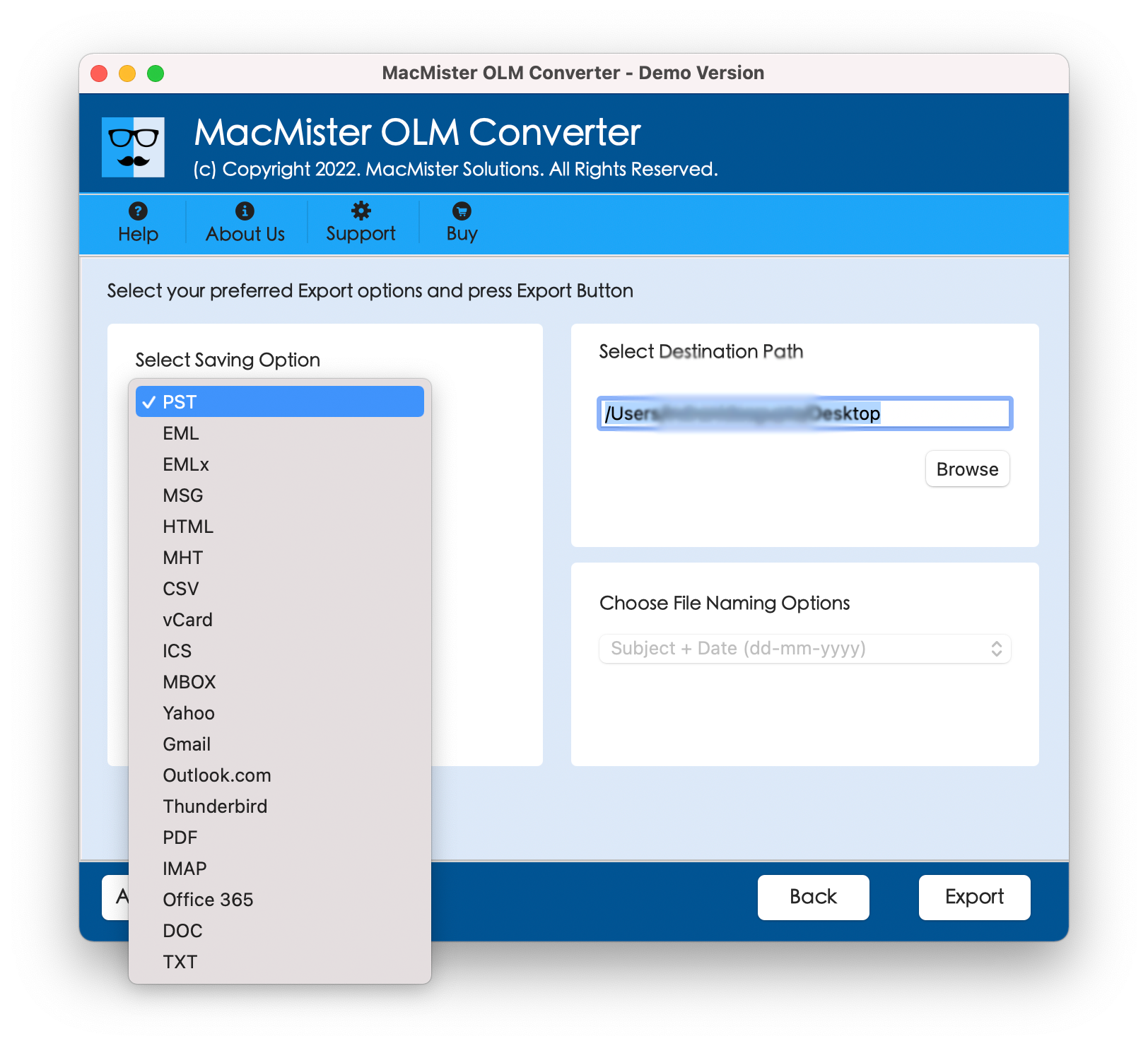
Step 5. Set the MBOX sub-options as per your requirements and tap Export button.
Step 6. The Live Conversion Report will display the live conversion progress of OLM files to MBOX.
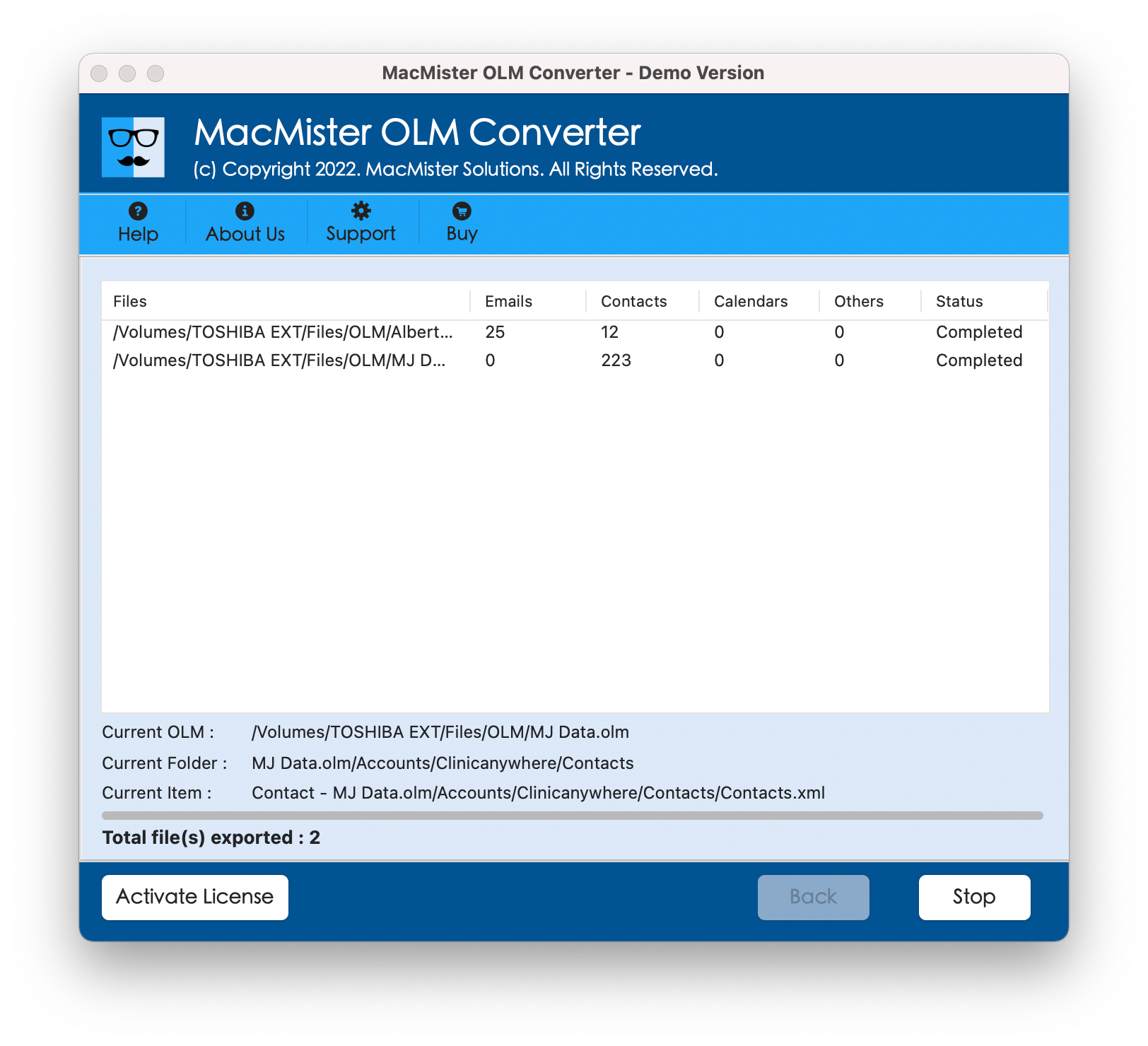
The entire process will complete successfully with a message “Conversion Completed”. Click OK button and go to Apple Mail email client to import resultant files. Follow the steps –
Open Apple Mail email client.
Click File and select Import Mailboxes…
Pick Files in MBOX format option and click Continue.
Locate MBOX files to select them and tap Choose.
The files will be imported under On My Mac.
However, you may select the required imported file to check the result. You will see that the conversion is done with accurate emails and attachments.
Overall, MacMister OLM to MBOX is a unique and matchless solution to export Outlook for Mac files or folders into MBOX.
Conclusion
In the blog, we have mentioned a powerful process to fix “can Outlook Mac export MBOX” on Mac. MacMister OLM Converter for Mac is a solution which effectively handles the operation and provides the results without any alterations. Its exceptional features will help users implementing the conversion process according to the requirements. And with MBOX, there are 15+ more saving options present to export Outlook for Mac files. However, download the free demo version of the software now and export first 25 Outlook for Mac files into MBOX free of cost.