

The Gan Jing World Creator Studio features blogging capabilities, allowing for article editing and embedding multimedia content, while supporting HTML syntax editing. Once you've created your channel, publish and edit articles with ease!
Desktop Version
After logging into your account, navigate to the "Articles" menu under "Creative Studio". Click on "New" to select "Add New Article".
Note: Fields marked with a red asterisk (*) are mandatory (Title, Thumbnail, Category, Language, Privacy).
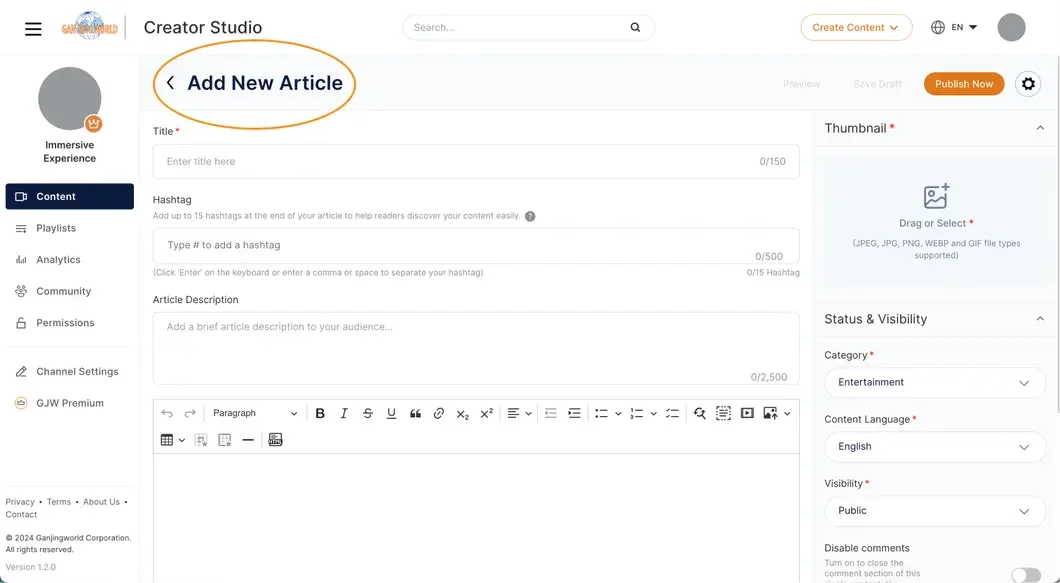
Title (Required)
- The article title is crucial as it helps readers easily find and understand the main theme of the article.
- You can use hashtags (#) to enable aggregation and hyperlink functionalities.
- Maximum of 150 characters.
Tags (#)
- Tags (#) enable aggregation and hyperlink functionalities, allowing readers to connect to the article through tag aggregation.
- Add up to 15 tags.
Article Description
- This field is automatically generated but can also be manually filled out. Currently not visible to users during reading.
- Maximum of 2,500 characters.
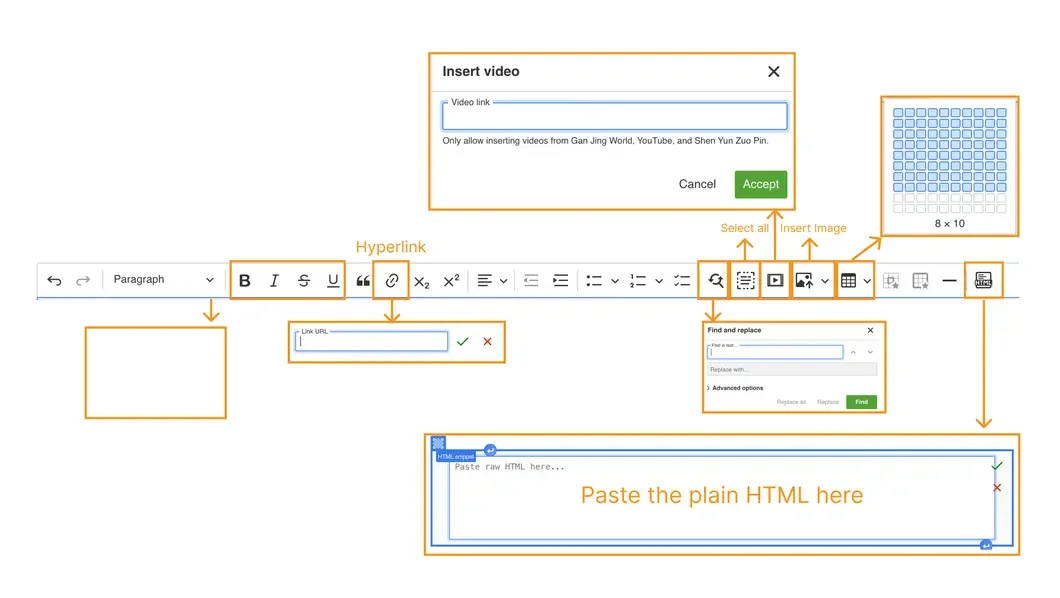
Article Content Editing Interface
- Use the editing toolbar to enhance the appearance of your article content.
- Maximum of 20,000 characters.
Status and Viewing Permissions
Thumbnail (Required)
- This is the thumbnail for your article on Gan Jing World. It is recommended to be 1920x1080 pixels in size.
- Supported image formats: jpg, jpeg, webp, gif.
Category (Required)
- Select an appropriate category from the dropdown menu.
- Categories help others quickly understand the article's topic and place it within similar content categories.
- Maximum of 500 characters.
Content Language (Required)
- Choose the content language. The article will primarily display in the interface of this language.
Privacy (Required)
- Public: Visible to everyone and searchable. The article will appear on your channel page.
- Unlisted: Visible to those with the link but not searchable. The article won't appear on your channel page.
- Private: Only the channel creator can view it in Creator Studio; others cannot see it.
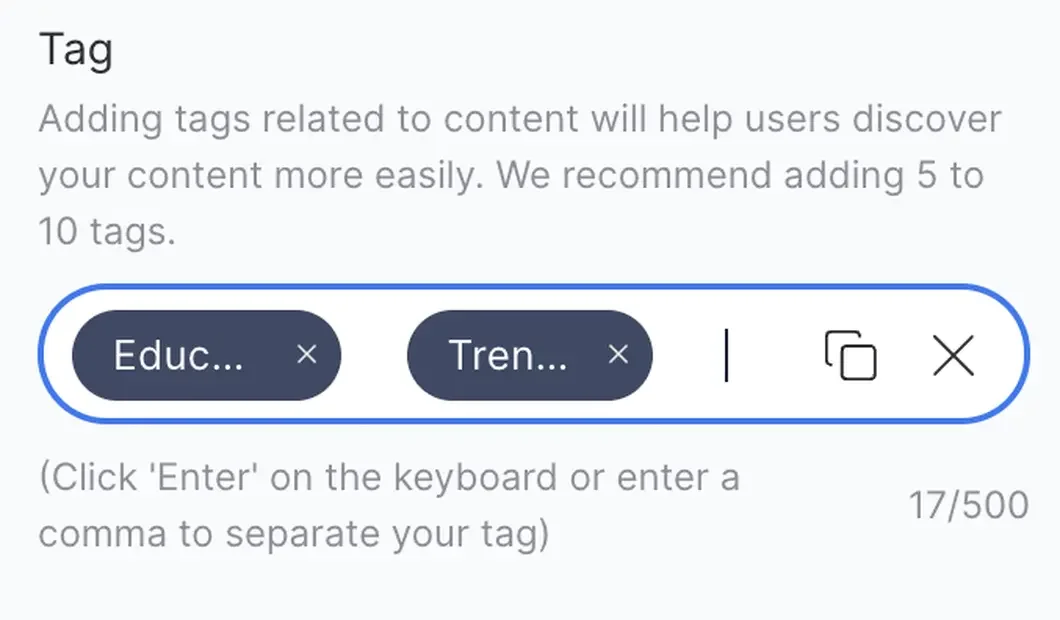
Keywords
- Keywords help readers find articles through searches. You can manually enter keywords by clicking on the field or use the "Recommended Tags" option.
- Maximum of 500 characters.
Scheduled Time
- Select a date and time for the article to be published on Gan Jing World. This allows you to schedule its release at a desired moment.
- You can schedule multiple articles to be published at different times.